
Support – Getting Started
Follow the steps below to register your 1st TRAKSIFY COMPANION device. If you require any further help please contact the help desk. Once you have successfully registered your 1st device by following the three steps below you can start tracking your pet, elderly or any other personal item important to you. You may register up to 10 devices with one single user account.
Step1: Create an Account
- Browse to GO.TRAKSIFY.COM.
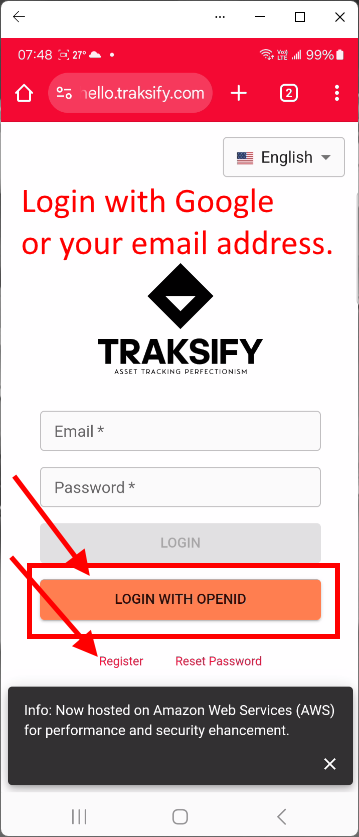
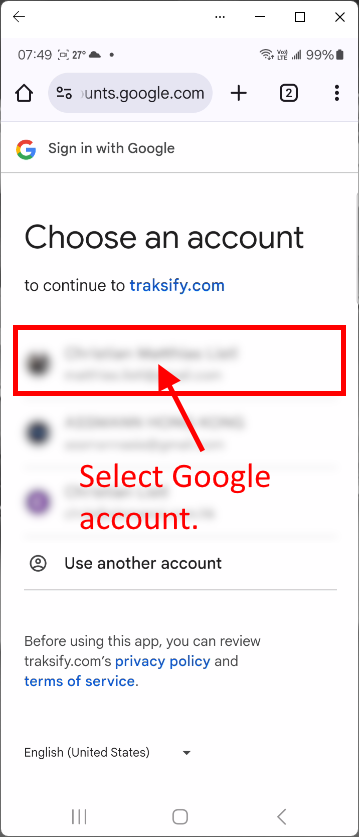
- Login with your OPENID (Google) Account or register an account with your preferred email address.
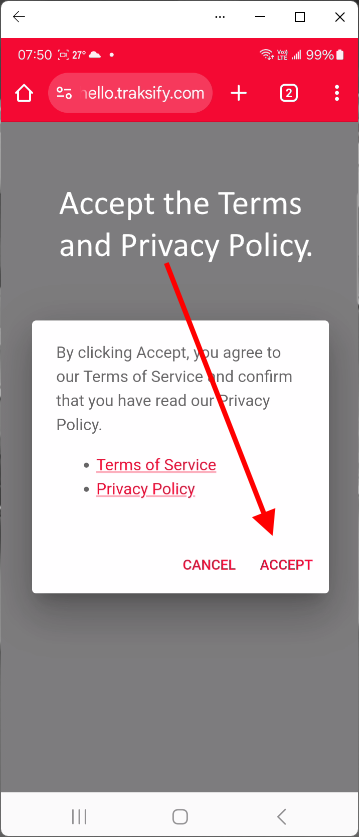
- Accept the privacy policy and the terms of use.
Step2: Select Map and Account Preferences
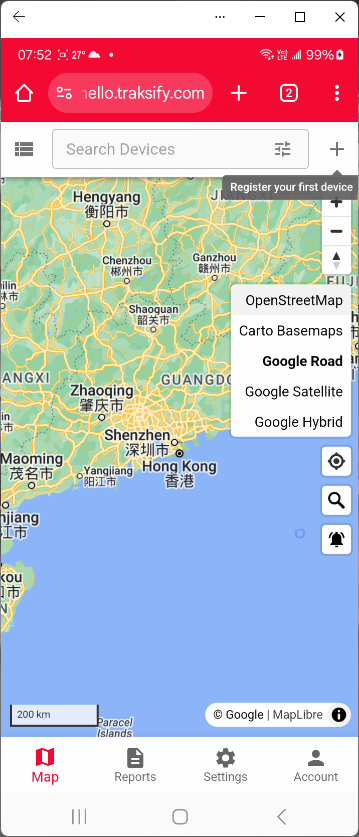
- After the successful registration and login select a preferred map style, e.g. Google Road by clicking on the right side icon panel.
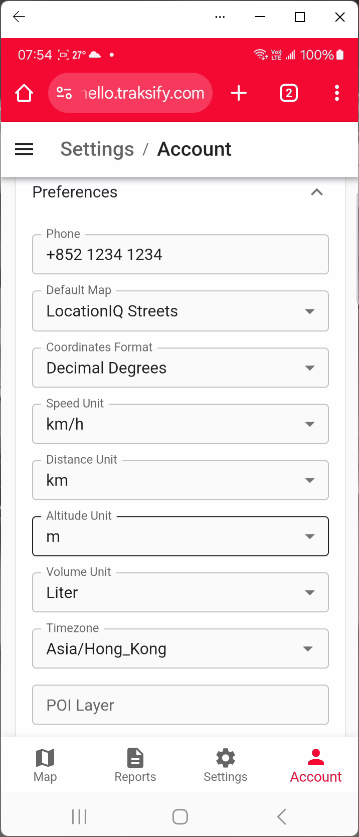
- Next, click on the “Account” icon of the bottom navigation pane. Enter a mobile phone number able to receive SMS notifications. Pick a time zone closest to you.
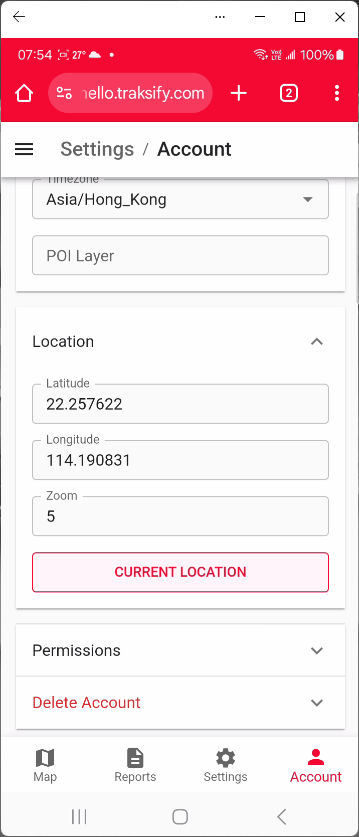
- Set your own location by clicking on the “Current Location” button.
Step3: Add your 1st TRAKSIFY Device
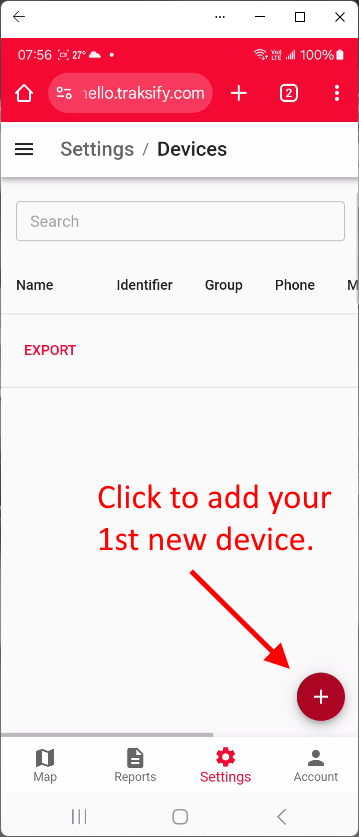
- Navigate to “Settings” > “Devices” and click on the round “+” icon.
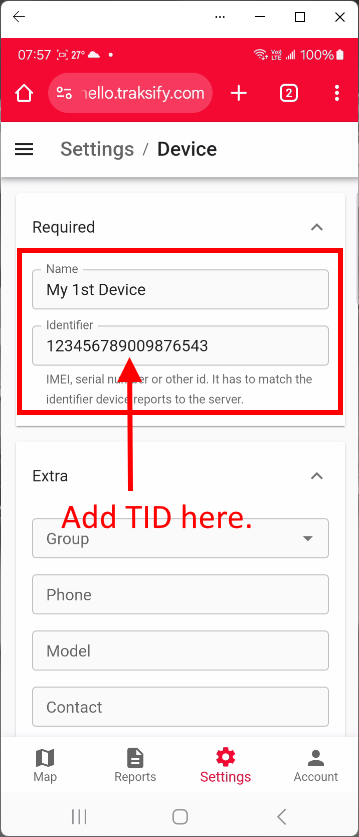
- Enter a name for your device, e.g. “My Dog Jacky”.
- Enter the “Identifier” (TID) of your TRAKSIFY device. The number is located on the back of your device. Look for the “TID” number.
Important: Make sure that you enter the number correctly, otherwise your device can’t communicate with the TRAKSIFY platform!
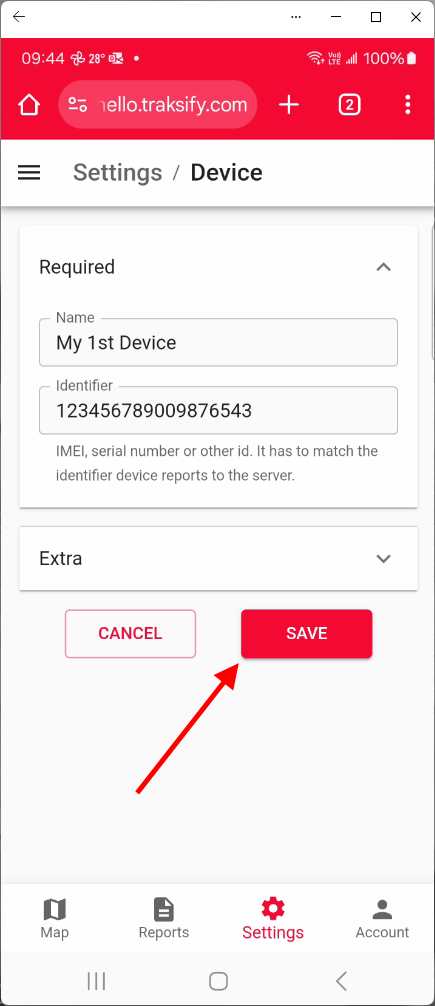
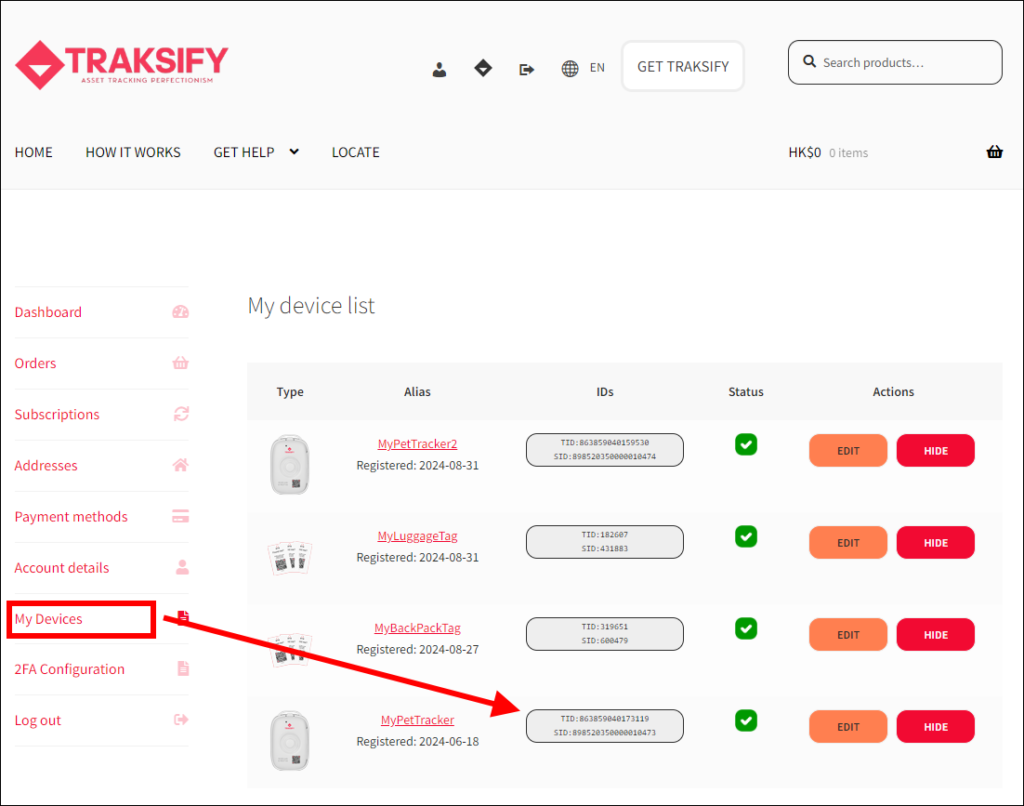
Congratulations! Just have successfully registered your 1st TRAKSIFY device with the tracking platform!
You may register up to 10 devices using the same login account. Simply follow Step 3 again to add additional devices.
You should now see an icon of the added device on the map display. To get the correct device location make sure that the device is turned on and that the device has a connection to the GPS satellites.
Best, step out of the building for approximately 5 minutes to establish a satellite connection. This only needs to be done once after the device has been registered and activated for the first time.
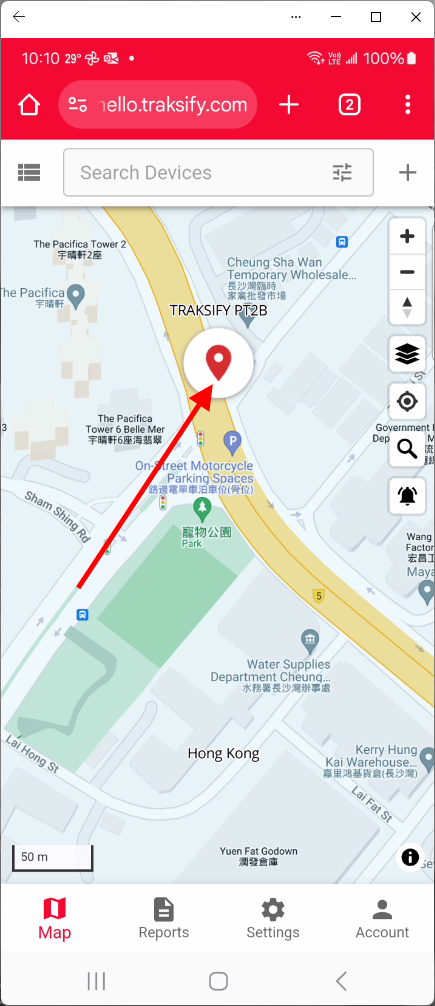
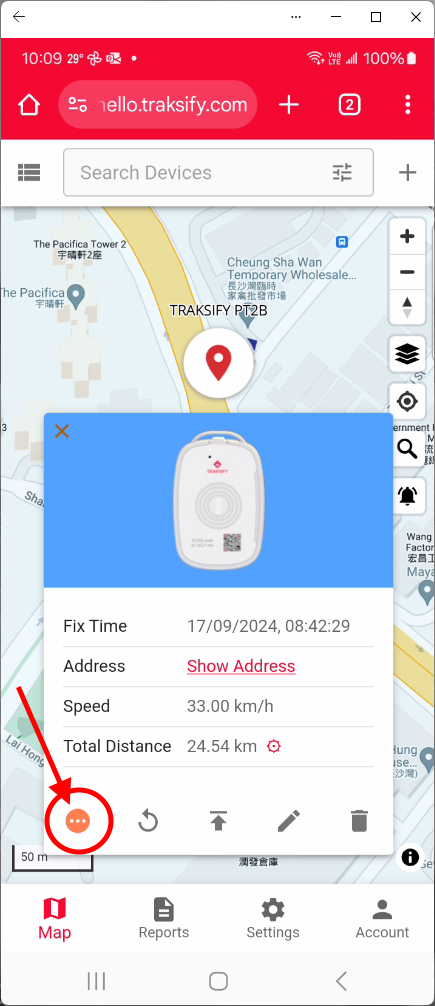
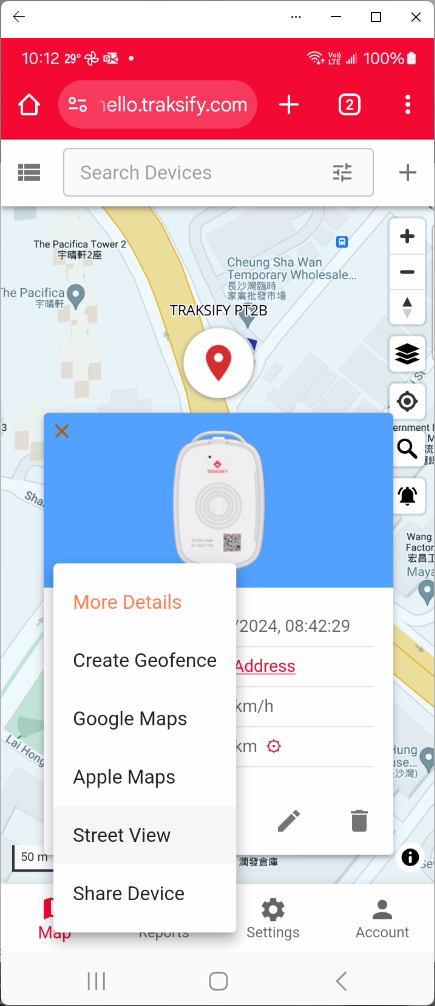
Click on the device icon to retrieve additional device information. Click on the round “…” icon for additional options including device sharing, geofence options, street view and Google or Apple map options. Explore all the possibilities!
Alemanni Private Limited | © 2024 | All Rights Reserved | This site is protected by reCAPTCHA and the Google Privacy Policy and Terms of Service apply.
TRAKSIFY is a registered trademark registered with the Trade Mark Registry of The Government of the Hong Kong Administrative Region.