
Stay Connected & Secure with TRAKSIFY – Your Trusted, Secure Tracking Solution!
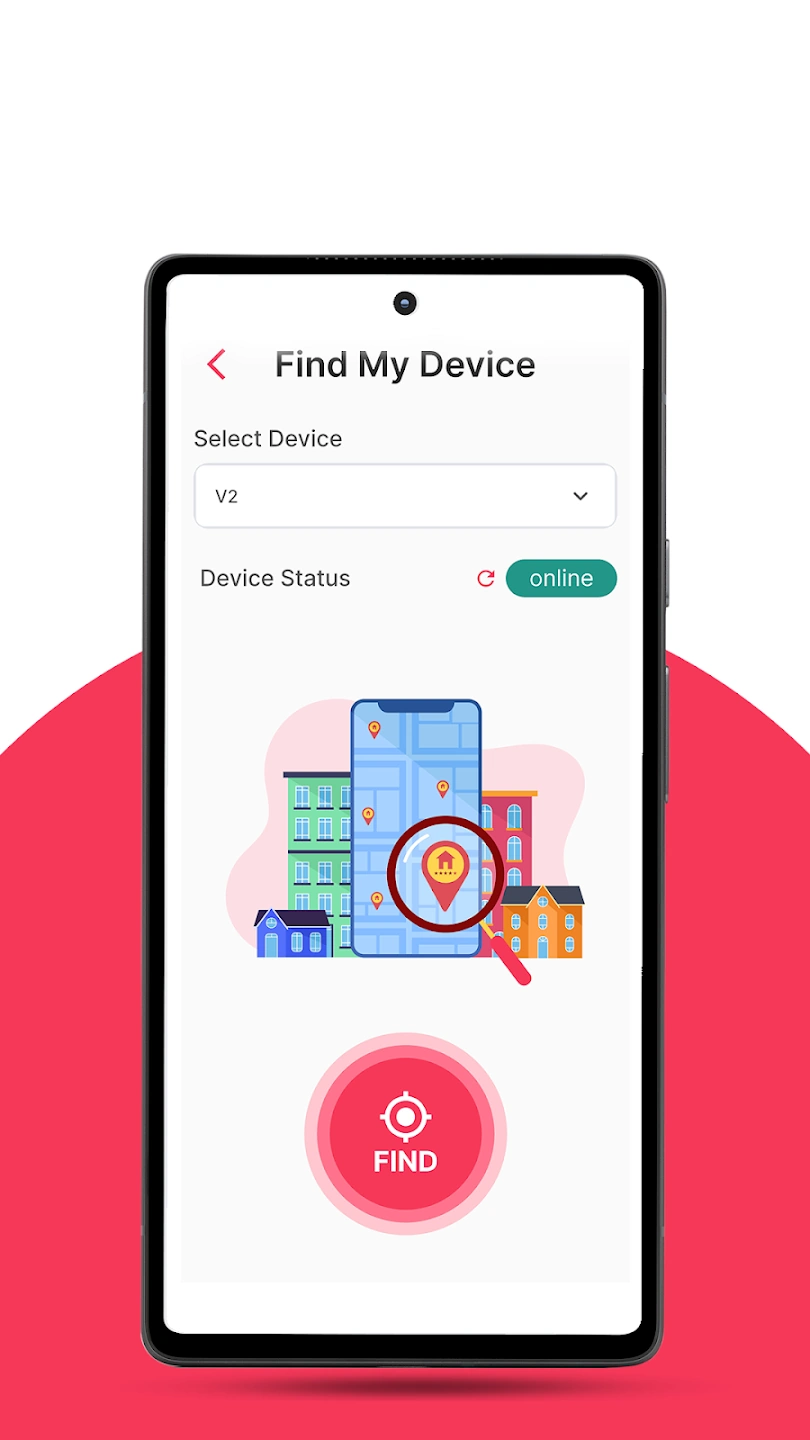
TRAKSIFY is the all-in-one FREE GPS tracking app designed for real-time monitoring of people, pets, and valuable assets. Whether you’re keeping an eye on loved ones, safeguarding your pets, or securing high-value items, TRAKSIFY provides reliable, precise tracking with multiple smart features.
Key App Features
✓AI PET ADVICE – Support for Activity and Health Monitoring.
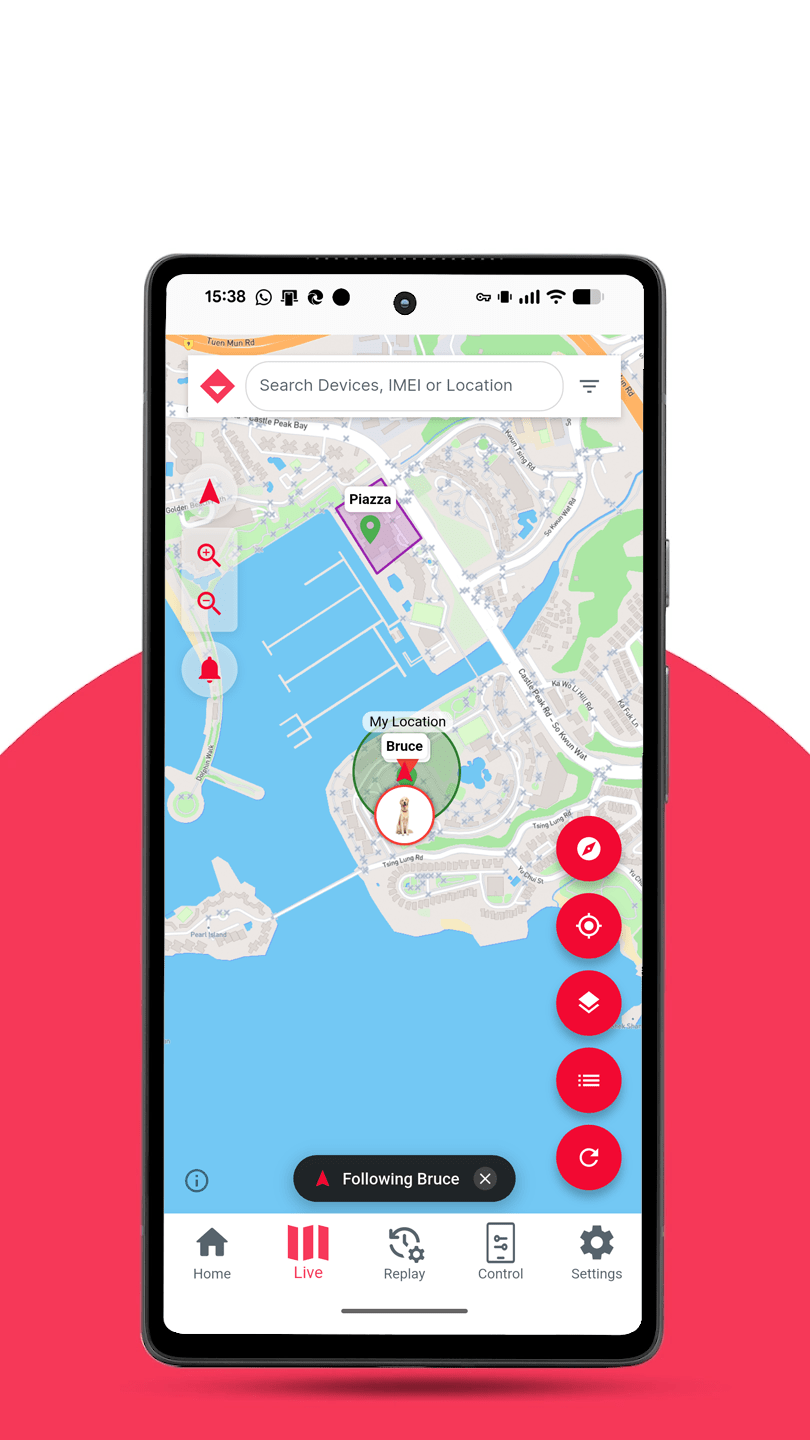
✓Real-Time Tracking – Monitor movements live on customizable map styles, updating every few seconds.
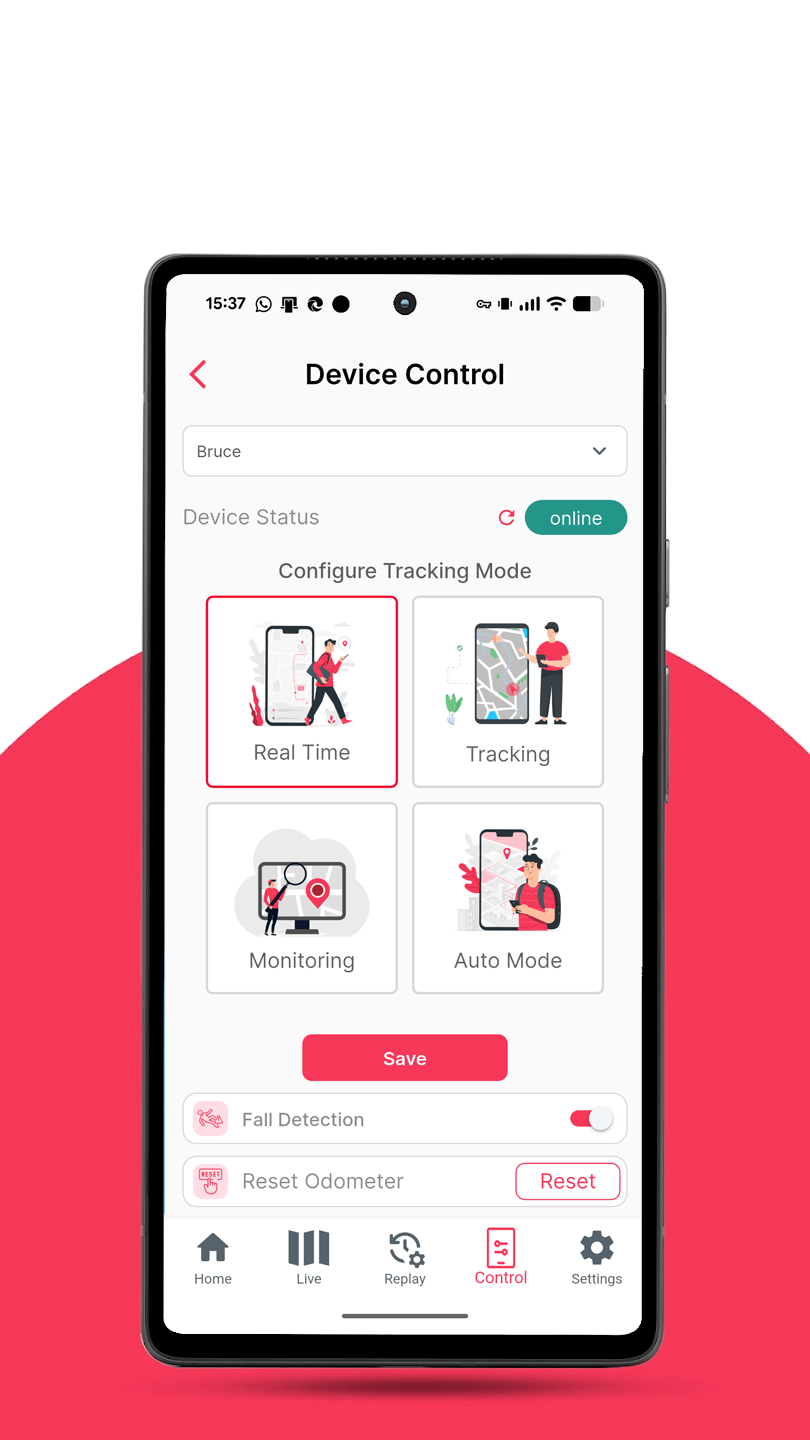
✓Multi-Tracking Modes – Real-Time, Tracking, Monitoring or Smart Mode for optimized battery use & accuracy.
✓Multi-Device Control – Manage all your TRAKSIFY GPS devices in one place.
✓Geofencing Control – Unlimited Geofence creation with individual Device linking.
✓Safe Zones – Mark trusted, supervised places like home or day care. Inside a Safe Zone the tracker reduces position updates to once every 10 minutes to preserve battery.
✓Smart Geofencing – Zone suggestions based on where your dog actually spends time. You review and approve every one.
✓Smart Notifications – Get instant alerts via Email, WhatsApp, or in-app notifications, including 50 free WhatsApp/SMS messages every month.
✓Notification Control – Alerts for geofencing, low battery, SOS signals, online and offline status.
✓Quick QR Registration – Easily activate your device by scanning the QR code on your TRAKSIFY tracker.
✓Privacy Control – Privacy Mode and ability to hide personal data from the public owner profile.
✓QR Code Device Sharing – Sync and share devices securely between users.
✓Profile Sync – Owner profiles synchronize seamlessly between the App and the Web application.
✓Community Map – Walk with other dog owners and work together to find a lost dog. You control who joins, when, and for how long (TWA Version).
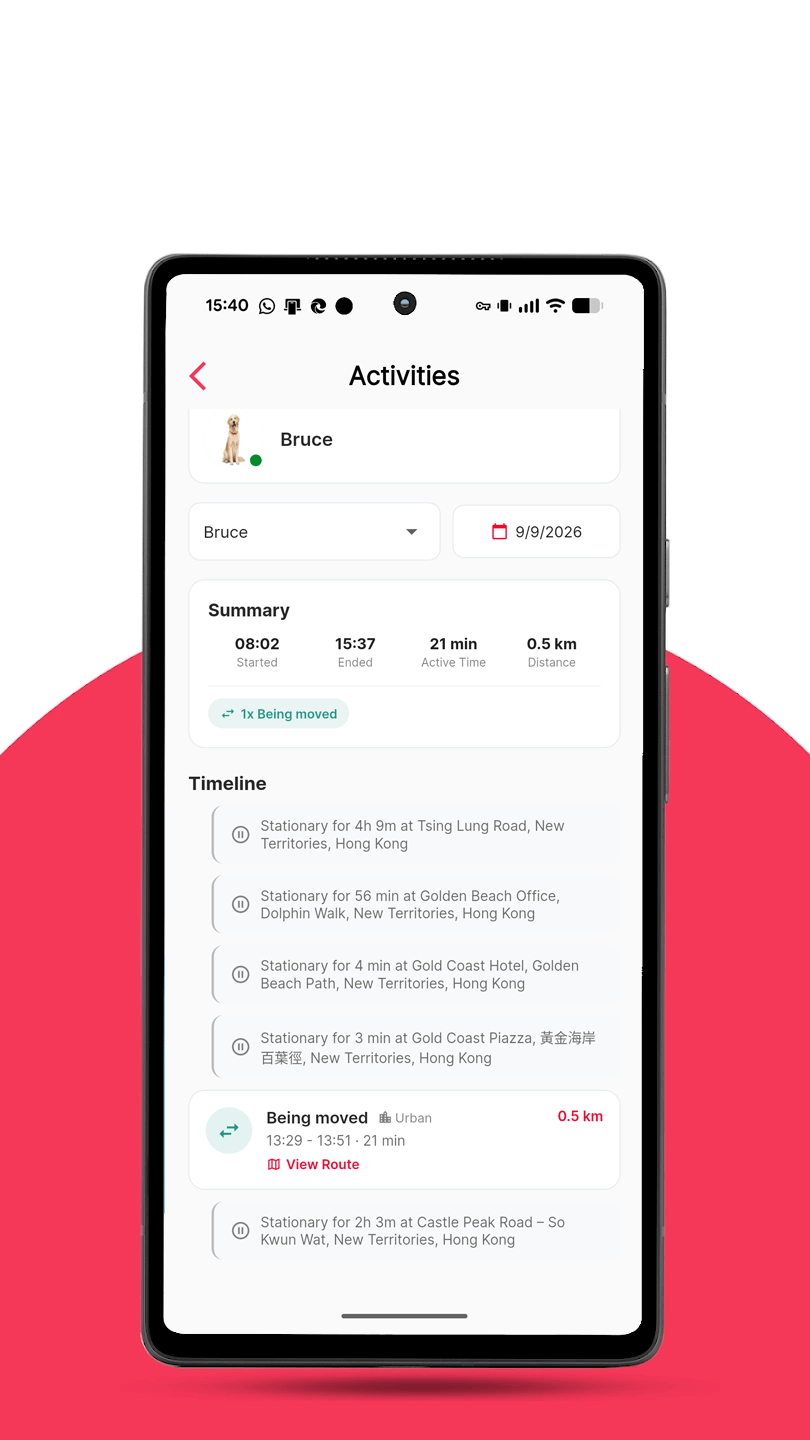
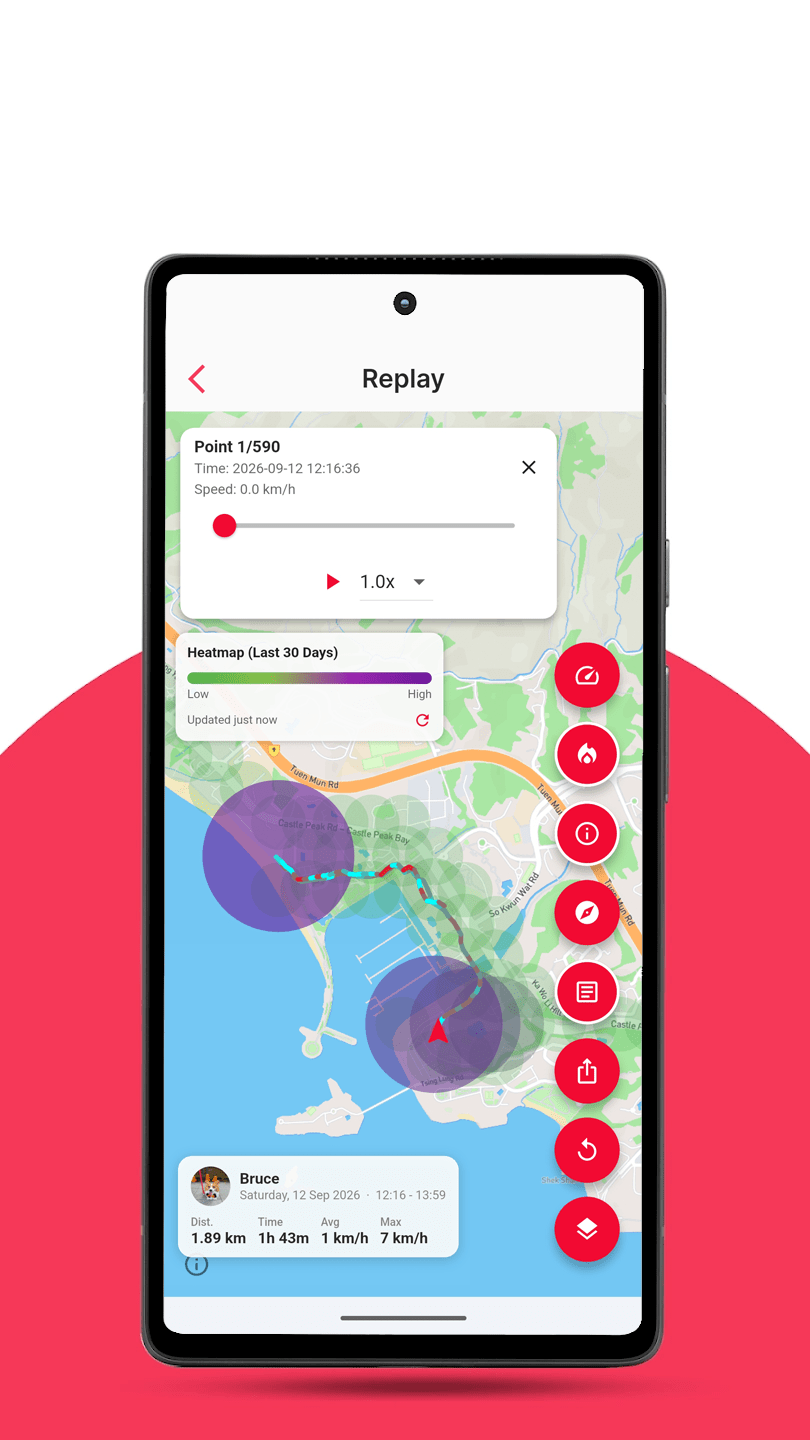
✓Reports & Export – Route replay, daily reports, day review analysis and track export to PDF and XLS.
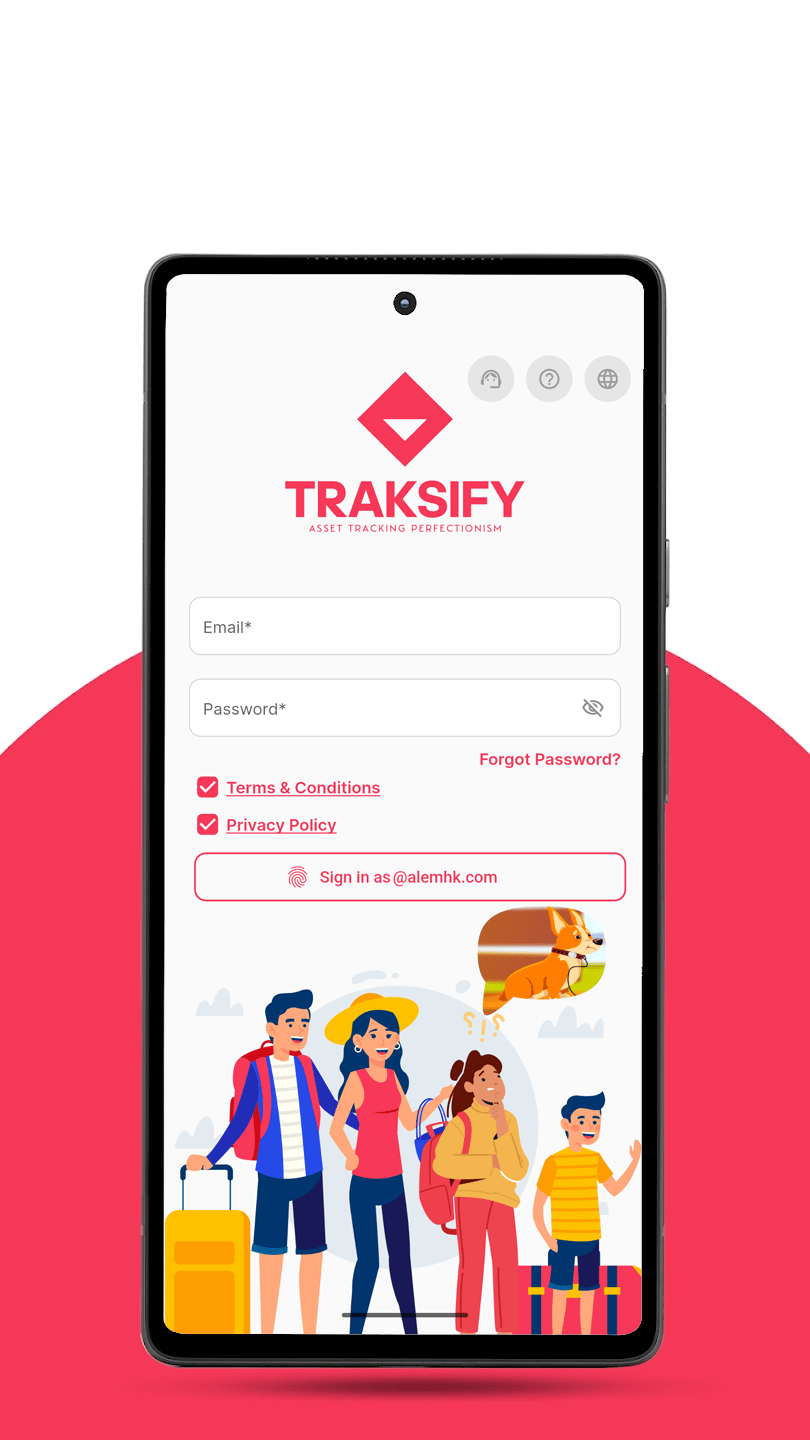
✓Secure Login – One Time Password (OTP) verification via Email or SMS.
✓Multi-Language – English, Deutsch, Français, Español and Chinese (Simplified & Traditional).
✓No Subscription – 3.5 years of global data included with your device. After that, renew as a one-off top-up. No contract, no monthly fees.
✓Flexible – TRAKSIFY Protect App available for iOS and Android devices.
✓GDPR-Compliant & Secure – Your data is exclusively hosted in Europe with full privacy protection.
✓Trusted – Hosted in Europe on secure and reliable AMAZON Web Services (AWS) with multiple fail-safes.
Why Choose TRAKSIFY Solution
✔ User-Friendly – Simple setup & intuitive controls.
✔ Reliable & Accurate – Real-time updates with high precision.
✔ Versatile Use – Perfect for families, pet owners, and businesses.
✔ 24/7 Support – Assistance available at TRAKSIFY.com/CS.


Latest Release Versions
Android: 3.9.0 (Released 16th September ’26)
Apple iOS: 3.8.2 (Released 16th September ’26)
Change Log – 3.9.0 “Theodore – CE” – 18th September ’26
New & Fixed [Read the full blog post]
- Weekly Activity report — see distance, active time, journeys and active days for a whole week, with automatic comparison to the previous week. Tap any day to drill into the daily view.
- Redesigned device sharing — the accept screen and “Shared With Me” list now show the device photo, alias, online status, last update, sharing period and who shared it.
- Unsharing a device now removes it from both sides immediately and no longer signs you out.
- Translations now update automatically — corrections reach you without waiting for an app update.
- Every device event and alarm type now has a proper name in all six languages.
- Fixed the shared-device map failing to load on Android and showing an error on iOS.
Change Log – 3.8.2 “Theodore – CE” – 16th September ’26
New
- Added speedometer in Settings → Preferences to display a speedometer in the live map. Clicking on the speedometer changes the selected device if using multiple devices.
Fixed
- Activities reporting improved to better detect activities in water.
Change Log – 3.8.1 and 3.8.0 “Theodore – CE” – 15th September ’26
New – CE Edition
- SOS and fall alerts shared with the community: pulsing badge on the map and in the member list, push with alarm sound to all members (on by default, includes paused members), reset by the device owner, community owner or admin.
- Messaging: push message to the whole group or to one member; last messages listed on the Community page.
- Admin role: owner can appoint admins who may invite, remove members and reset alarms.
- “My Community” card on the home dashboard (members, device/online count, end date, active-alarm badge, Map shortcut; shows pending invitations when not in a community).
- Community description and rules, editable by the owner and shown to invitees.
- Map: refresh, show/hide proximity lines, map style selector; proximity lines now dotted grey.
- Battery shown as a colour-coded icon.
- Limit of two shared devices per member; member rows show both device photos.
Fixed
- A single failed refresh no longer replaces the map or the Community page with “Something went wrong”; previous data stays with a “Reconnecting…” hint.
- Community online counts wrong — status now derived from last update.
- Pause switch flickered when changing alert settings.
- Paused devices showed the full IMEI; IMEI is now never displayed in full (alias/name or **** + last 6 digits), and paused devices read “Position hidden”.
- Map controls hidden behind the member sheet when half open.
- Untranslated relative times in the map list.
Backend
- Schema updates v2–v7 (description/rules, end date, separation, alarms, messages, admin role), new endpoints for update, pause, transfer, admin, alarm reset, messages; per-user rate limits; server-side unit formatting; housekeeping cron for scheduled end and inactivity auto-close.
Change Log – 3.7.2 and 3.7.1 “Theodore” – 12th September ’26
Fixes & What’s New
- Fixed: Support section email subject correction.
- Improved: Correct App icon.
Improvements
- Added device type icons to dashboard.
- Backend API added failsafe when first SafeZone update on exit fails.
Change Log – 3.7.0 “Theodore” – 10th September ’26
- New: Step counter toggle in Device Control (supported trackers only).
- New: Home dashboard filter: All / Online / Offline.
- Night Light & Privacy Mode: show correct OFF state for new trackers.
- German: “Asset” → “Objekt” (no more text wrapping).
- Includes all 3.6.1 fixes: translations, eye color, name display, password change, pet profile, HK phone validation.
Change Log – 3.6.1 “Theodore” – 9th September ’26
Fixes
- Map: improved distant device location.
- Map style unified across all pages.
- Multilingual chat support.
- VPN reminder when using chat.
- Layout enhancements.
Change Log – 3.6.0 “Theodore” – 7th September ’26
Fixes
- Moved dataplan checkout flow to Stripe to align with messageplan checkout flow.
Change Log – 3.5.0 “Theodore” – 7th September ’26 (Major Release)
What’s New
- Chat support desk added.
- Smart Geofencing – Enhanced logic and flow for more accurate and reliable geofence triggers.
- Message Inbox Enhancements.
- Added the ability to delete messages.
- Links within messages are now tappable, with automatic detection and opening of map links.
- Reports > Activities – Fully revised detection algorithm for improved activity classification and reporting accuracy.
Fixes
- Resolved missing authentication checks in certain file hardening routines.
Bug Fixes
- Normalized email inputs to ensure consistent formatting and validation.
What’s New (Full List)
- Geofence Map Search – Added location search to the geofence map, making it faster and more intuitive to define new geofences.
- Live Map Status Filter – Added a status-based filter in the live map search bar, allowing quick filtering of devices by their current state.
- Redesigned Geofence & Safe Zone Creation – Streamlined the flow for a smoother, more user-friendly setup experience.
- Automated Notifications – Notifications are now automatically created upon the registration of the first device.
- Event Notification Tones – Introduced two distinct notification tones: one for standard events and another for alarms.
Improvements
- Reports > Activities – Enhanced the activity classification algorithm by integrating additional parameters, resulting in greater detection accuracy.
- Reports > Replay – Improved the summary info box layout to prevent text overflow, particularly in languages with longer character sets.
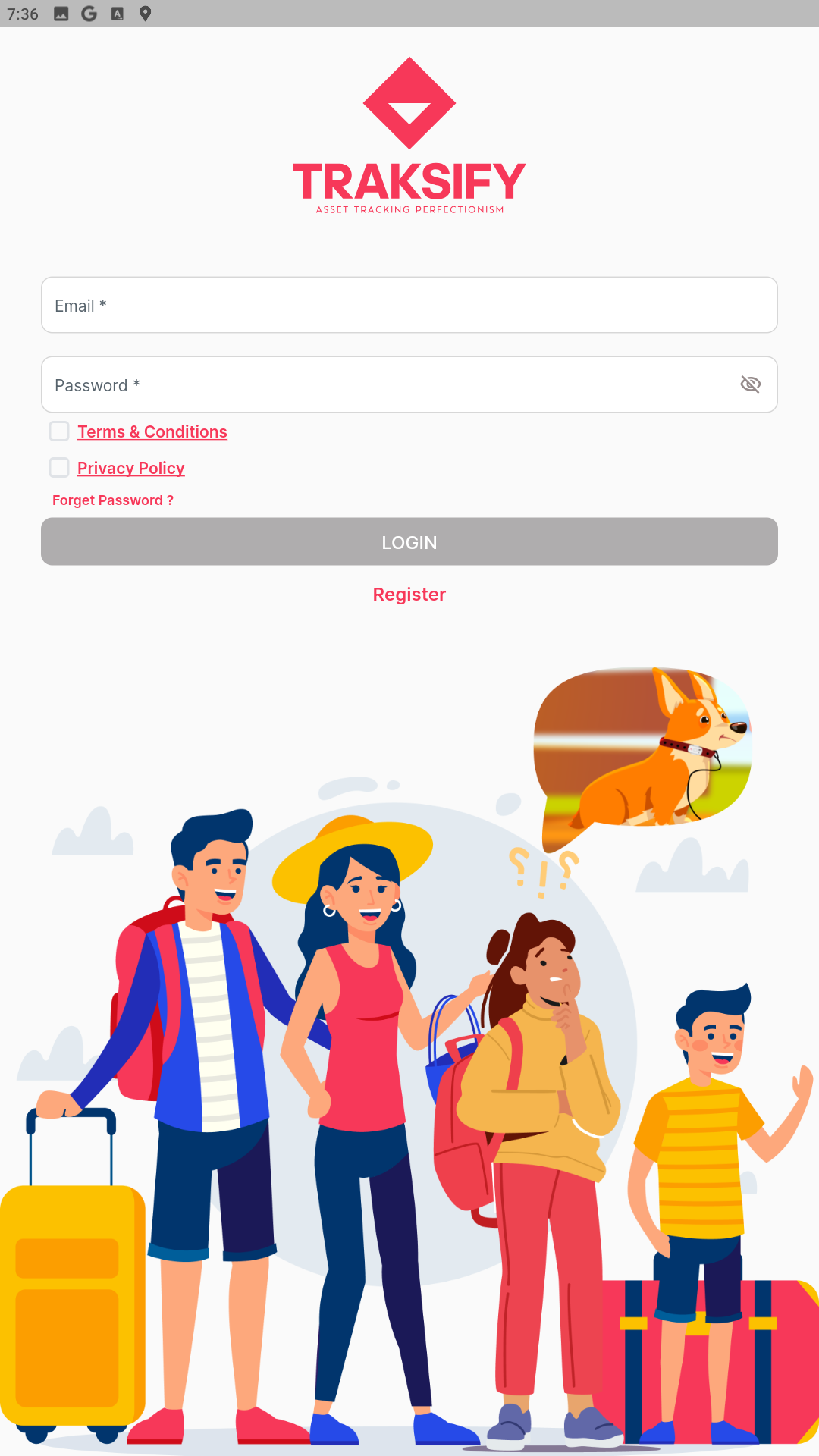
- Login Page Redesign – Relocated the language selector and added a help icon for improved accessibility and ease of use.
Backend
- Performance – Significant optimizations now deliver device loading speeds up to 10× faster.
- Security – Strengthened authentication and data protection protocols.
- Maintenance – Conducted general codebase cleanup and optimization.
General
- Version Control – Migrated the entire codebase to Git for improved collaboration and change tracking.
- Framework Update – Upgraded Flutter to the latest stable release.
- Code Cleanup – Performed thorough script reviews and removed all unused or redundant code.
Change Log – 3.4.0 “Theodore” – 4th September ’26 (Version 3.3.0 skipped)
What’s New
- Track Replay: optional trip summary on exports in your language.
- New show/hide summary button.
- TRAKSIFY watermark on all exports.
Fixed
- Expired sessions go to sign-in screen.
- Devices no longer marked registered if setup interrupted.
- Owner Profile no longer shows “null”.
- Device photos reload correctly on map.
- Sharing Track Replay image on iPhone fixed.
- Sharing location from Live map fixed.
Change Log – 3.2.0 “Theodore” – 1st September ’26 (Maintenace Release)
Fixed
- Changing app language no longer signs you out.
- English selection now saves to your account.
- “Sign in again” now goes to login screen.
- Android reinstall no longer breaks sign-in, biometrics, or terms.
Improved
- iOS reinstall no longer carries over old sign-in details.
- Longer sessions, no logout on server restart.
Change Log – 3.1.0 “Theo CHL” – 31st August ’26
What’s new
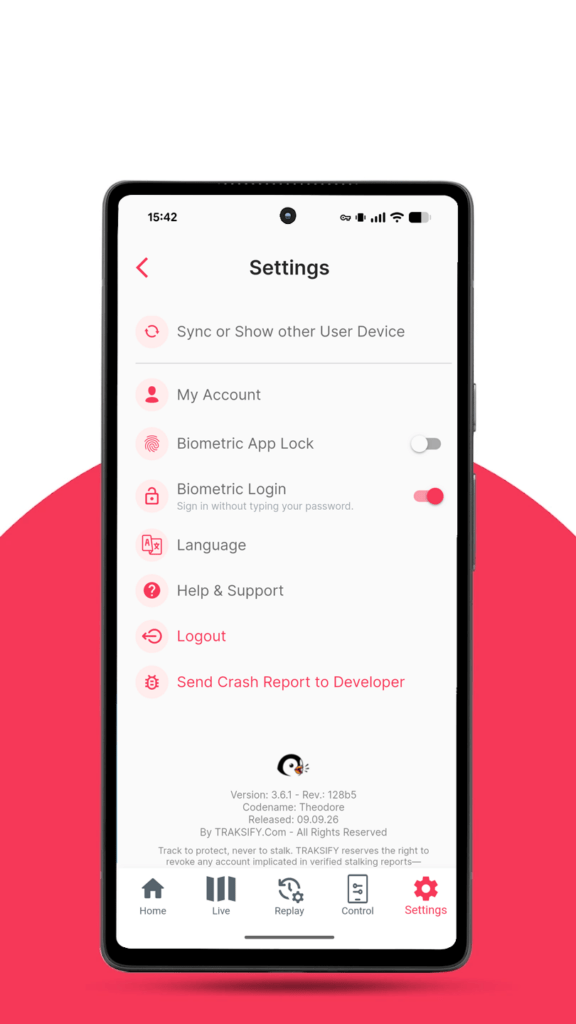
Biometric Login (added with version 3.0.1)
- Sign in with fingerprint or face instead of typing email and password.
- The previous biometric option renamed Biometric App Lock; the two now work independently.
- With both enabled, reopening after a session ends asks once, not twice.
- A brief loss of connection no longer switches Biometric Login off.
- Changing your password on another device and signing in normally keeps it working.
Adding a device
- Owner details pre-filled from a device already registered.
- The single registration name is split into First and Last.
- Device name suggested from the TID — “My Device 643”.
- Reaching the device limit now says “You can register up to 10 devices.” instead of “Something went wrong”.
SOS Calling (for supported devices)
- Page renamed Set SOS Call Numbers.
- New four-step info panel explaining the process.
- The SOS option now appears only on KIN and PACK — the products that can place calls.
- The device picker lists only SOS-capable devices; previously you could select an NFC Tag.
XXXXXXXXXXplaceholder replaced with “Mobile number”.- Error and confirmation messages reworded, punctuated consistently, and translated across all six languages.
My Devices
- “View” → “Profile”
- “Geofence” → “Linking”
Message plans
- Unlimited plans show “Unlimited” rather than 999999, and the usage chart no longer implies a limit.
Change Log – 2.8.0-Beta “Theodore” – 28th August ’26
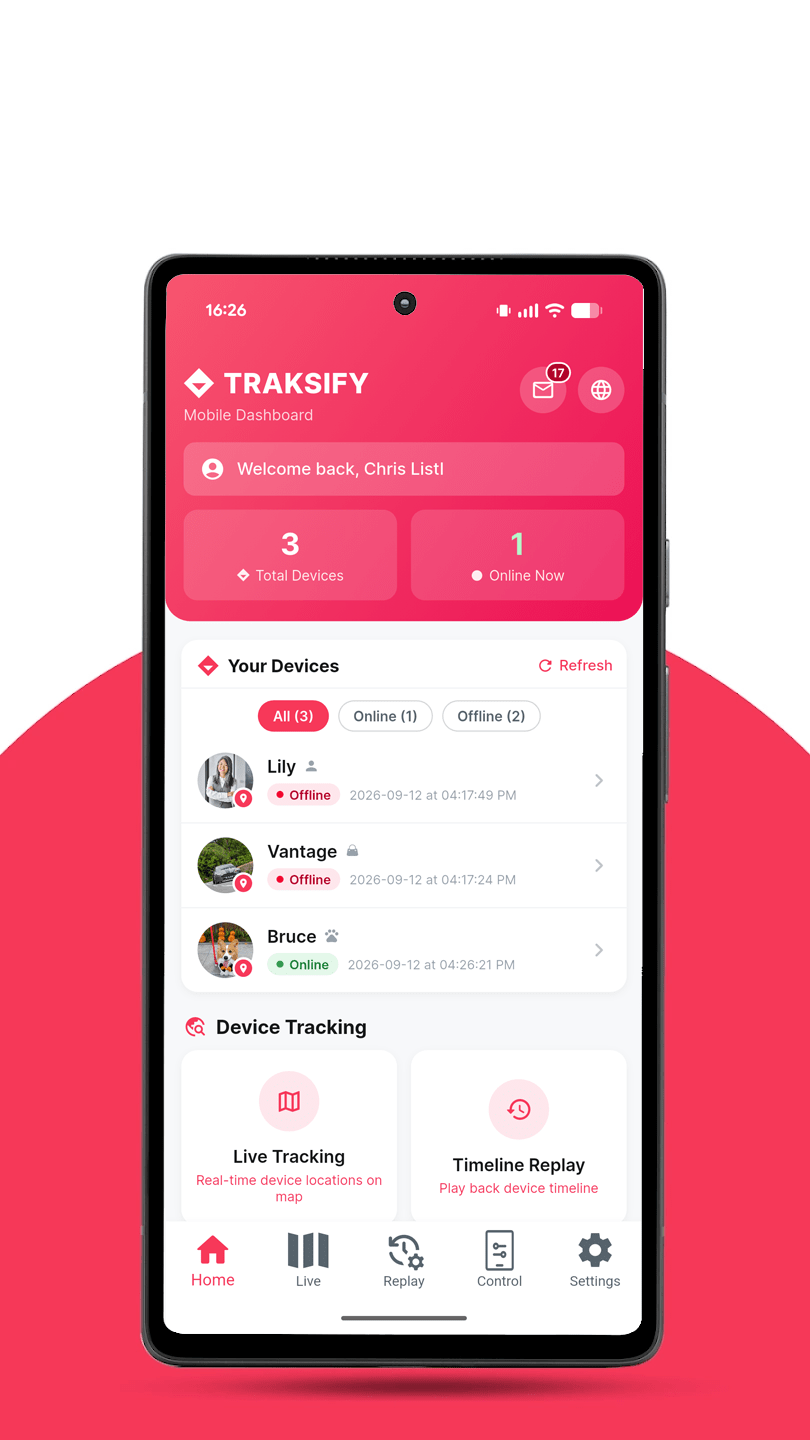
A brand new Home Dashboard has arrived.
TRAKSIFY Protect now opens on a dashboard instead of the map. Every device you own, which ones are online, and your most recent alerts — all before you tap anything.
Your devices are listed with their photo, status and last update. Tap the photo to open that device on the live map, or tap the row for its full profile. Status refreshes automatically every 30 seconds.
Everything else is one tap away: Live Tracking, Timeline Replay, Events, Activities, Device Control, Register Device, Notifications and Geofences.
NEW MESSAGES INBOX
Every alert your devices send now arrives in one place — SOS calls, geofence crossings, vibration, low battery, online and offline. Filter by type, swipe to delete, or mark everything as read at once. A badge shows what is unread, and a banner tells you what has arrived since you last looked.
GETTING AROUND
The tab bar is now Home, Live, Replay, Control and Settings. Your account has moved to Settings, under My Account.
SECURITY
Biometric lock protection has been strengthened. If you use Face ID or Touch ID, you will now be asked to verify every time the app starts, including after closing it completely.
If your session ends, the app now tells you clearly and takes you back to sign-in rather than quietly failing to load.
ALSO IN THIS RELEASE
- Alert times now display correctly in your local timezone.
- Alert text is no longer shortened.
- Steadier replay screen with controls that stay in place.
- Numerous stability and reliability improvements throughout.
Change Log – 2.7.1-“Theodore” – 26th August ’26
Fixed
- Event names now translate correctly in all languages.
- Biometric app lock now works when returning from background.
- Several status/error messages that showed in English are now translated.
- Device photos load faster with automatic compression.
Added
- Gentle reminder when a new app version is available.
Change Log – 2.7.0-“Theodore” – 26th August ’26
What’s New
Data Plan Management
- View your Data SIM’s usage and status directly in the app.
- Renew your data plan or buy a top-up (+50MB/+100MB) with full in-app checkout.
- Usage history with 30/60/90-day views.
Activities — completely redesigned
- Trips are now automatically classified: Walking, Running, Cycling, or Driving.
- Location context added (Urban, Outdoor, Near Water).
- Daily summary with active time, distance, and a breakdown by activity type.
- Stops are now shown inline in the Activities timeline instead of a separate screen.
- New “View Route” — see a trip’s actual path on the in-app map, with an option to open it in Google Maps instead.
Events — completely redesigned
- Filter by type: Alarms, Geofence, Device Status, Ignition.
- Daily summary showing counts by category.
- Color-coded icons for each event type (Online/Offline/Unknown, Alarms, Geofence, Ignition).
- Tap the crosshair on any alarm event to see exactly where it happened, on a map, in an info popup.
Speed Summary — completely redesigned
- Clear Max/Avg/Min speed breakdown for the day.
- New speed-over-time chart.
Map
- New notification bell — badges unread events, tap to jump straight to the Events screen.
- New speed legend on Track Replay — see what each route color represents, toggle it on/off from the map controls.
Security
- Biometric App Lock now actually re-locks the app with Face ID/fingerprint every time it returns from the background — not just on first launch.
Bottom Navigation
- Redesigned to 5 tabs: Live, Replay, Control, Account, Settings.
Fixed & Improved
- Fixed several toast messages and error notifications that always appeared in English, regardless of the app’s selected language — including Events, Notifications, Data Plan, and Messaging Plan.
- Fixed alarm events sometimes showing “location not available” when a location genuinely existed (backend lookup issue).
- Fixed SOS alarms not showing their distinct red icon correctly.
- Fixed a confusing “failed to fetch” error when a user simply hadn’t created any notifications yet — now shows a clear, actionable message.
- Fixed map tiles failing to load in the route viewer.
- Fixed Messaging Plan pricing to show both HKD and an approximate USD equivalent.
- General stability, translation coverage, and polish improvements throughout the app.
Change Log – 2.6.0-“Theo” – 25th August ’26
TRAKSIFY Protect 2.6.0 — “Theo” – Available for iOS and Android
This release marks a major milestone for Traksify Protect — the most substantial update since the app’s launch, spanning device tracking, notifications, maps, reporting, and full multi-language support across the app and legal documentation.
🎉 Major Milestones
- iOS QR code scanning is now fully functional — a long-standing issue is resolved.
- The app now supports German, French, Spanish, and Chinese, alongside English, across the interface and legal pages.
- Crash reporting is now fully wired up, helping us catch and fix issues faster going forward.
New Features
- Two new map styles: Traksify Dark and Traksify Light.
- Redesigned “My Devices” list and device details — see each device’s photo, live status, registration date, and last-seen time at a glance.
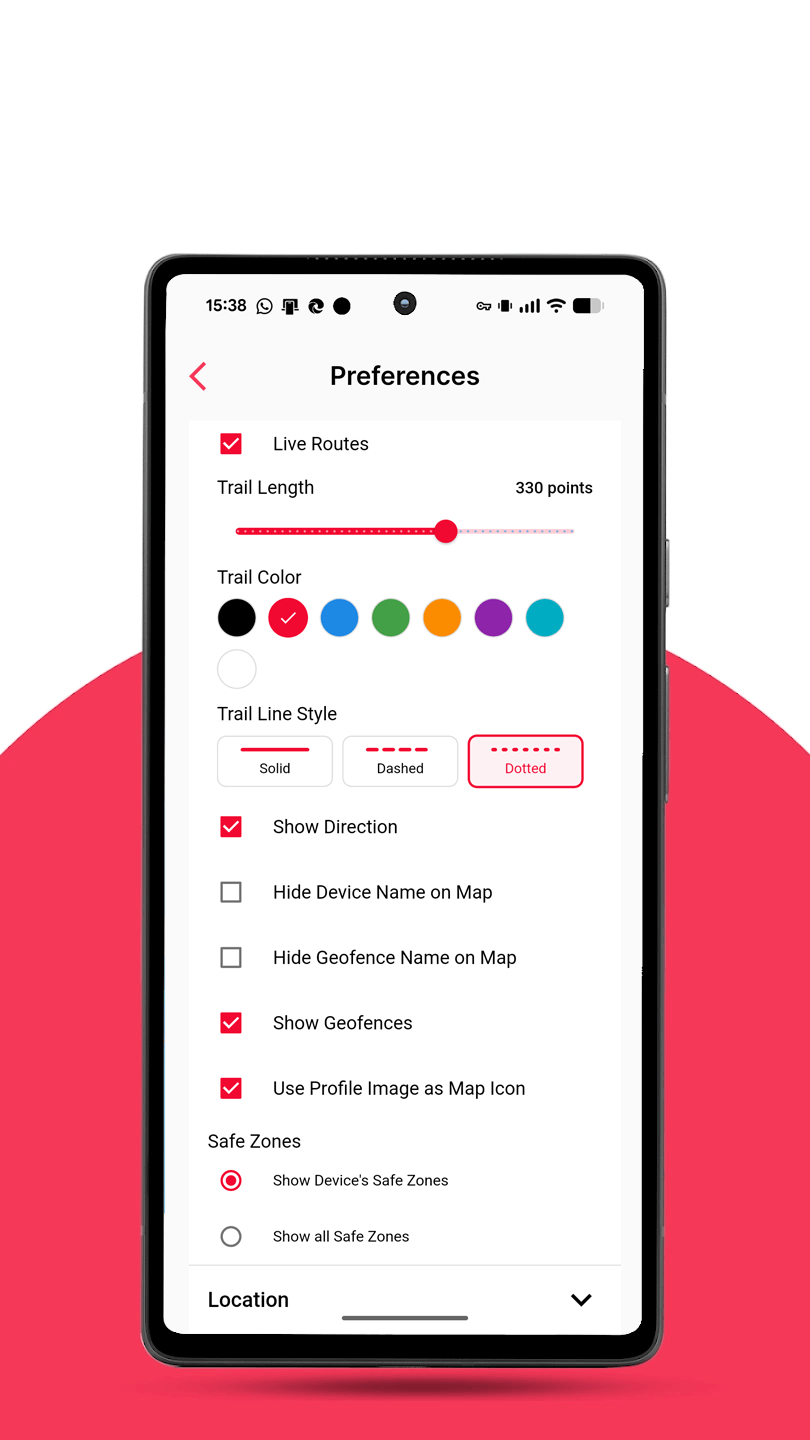
- New “Hide Device Name on Map” and “Hide Geofence Name on Map” display options in Preferences.
- New “Send Crash Report to Developer” option in Settings.
- Clear, friendly warning when scanning a device that’s already registered to another account.
- App content — Terms & Conditions, Privacy Policy, and Help — now available in German, French, Spanish, and Chinese.
Improvements
- QR code scanning is faster and more reliable on both Android and iOS.
- Push notifications on iOS now arrive reliably.
- Device and map screens load without the brief flash of an error message some users may have noticed.
- Photo uploads for people, pets, and assets now correctly open your photo library.
- Forms now clearly indicate which fields are required and why a submission couldn’t go through.
- Location search results no longer overflow the search panel.
- Map markers no longer overlap direction indicators with device names.
- General performance and stability improvements across map, reporting, and safe zone screens.
Fixed
- Fixed a crash affecting the Activities, Stops, and Events report screens.
- Fixed a crash on the Activities Report screen.
- Fixed the app failing to load correctly on first launch in some cases.
- Fixed various display issues on Safe Zone creation and editing screens.
Change Log – 2.5.0 – 24th August ’26
TRAKSIFY Protect 2.5.0 (currently only available on Android; iOS release is in preparation.)
New
- Two new map styles — Traksify Dark and Traksify Light — available in Map Preferences.
- Redesigned “My Devices” list and device details — see each device’s photo, online status, registration date, and last seen at a glance.
Fixed
- Fixed a crash when opening the Activities Report screen.
- Location search results no longer overflow the search panel.
Change Log – 2.1.0 – 23rd August ’26
TRAKSIFY Protect 2.1.0
A focused update polishing the map experience and fixing a handful of
rough edges from recent releases.
MAP IMPROVEMENTS
- New compass needle above the zoom controls – rotates live with the
map and always points north; tap it to reset the map’s orientation
instantly - Zoom controls repositioned and resized to align cleanly with the
new compass - The search bar is now more transparent, giving a clearer view of
the map underneath
DEVICE SHARING
- Shared device links now display the device’s chosen nickname
instead of its default system name - The device’s profile photo now appears on shared map links, with
a smoother fallback while it loads - Fixed a “No geofences found” message appearing as an alarming error
when a device simply has none configured - Additional translation fixes across the sharing screens
NOTIFICATIONS
- The “WhatsApp” notification channel is now labeled “WhatsApp/SMS”
for clarity, in both the channel selector and the info popup
POLISH
- Loading spinners are now visually consistent across the entire
app – same size, and colored for proper contrast against both
light and colored backgrounds
Track to protect, never to stalk.
Change Log – 2.0.1 – 22nd August ’26
NEW: TRAKSIFY Protect 2.0.1
Our biggest update yet — built around visibility, safety, and speed.
SEE MORE ON THE MAP
- Live trail behind moving devices, with an adjustable trail length
- Heading indicator shows which direction a device is moving
- Safe Zones are now drawn directly on the map
- SOS and Vibration alerts now appear as map markers — tap to view details and close the alert
- NEW: Heatmap view in Track Replay — toggle it on to see a density map of where a
device has spent the most time over the last 30 days, from green (low activity)
to purple (high activity). Includes a live legend and one-tap refresh, and is
captured automatically if you export the map as an image. - Search now finds devices, IMEI numbers, and locations, not just device names
- Smoother, animated map panning and zooming instead of instant jumps
- Track Replay: reset the map to north-facing with one tap, and easier-to-use controls
- Optional: use each device’s own photo as its map marker
FASTER SETUP
- Registering a new device now shows the correct product photo automatically
- Your phone number is remembered after your first verification, so adding
future devices is quicker — no need to re-verify each time - Device photos load significantly faster, with smarter caching
SECURITY
- Optional biometric unlock (Face ID / fingerprint) for faster, more secure app access
AND MORE
- Refreshed app icon and name — now TRAKSIFY Protect
- Cleaner search bar design
- Dozens of smaller bug fixes and stability improvements
Track to protect, never to stalk. TRAKSIFY reserves the right to revoke any account implicated in verified stalking reports — because responsibility is the root of trust.
Change Log – 1.8.2 – 21st August ’26
Bug Fixes
- Fixed an issue that prevented a device from being correctly located on the map during search.
Change Log – 1.8.1 – 17/18th August ’26
New Features
- Added Follow Mode directly on the map screen—tap any device icon and select the new Follow button to track its live movement.
Improvements
- General performance enhancements for a smoother experience.
- Further translation improvements across the app.
- Removed obsolete sound and follow check boxes from the Preferences screen for a cleaner interface.
Change Log – 1.8.0 – 18th July ’26
What’s New
- SMS support is now available.
Improvements
- Resolved an issue causing a grey screen in Reports.
- Redesigned the “No Devices Added” screen for a cleaner look.
- Added missing translations across the app.
Change Log – 1.7.1 – 29th May ’26
What’s New
- Added geofence color selection functionality for better location visualization.
Improvements
- Fixed issues in the report section including replay function.
- Improved address fetching accuracy and performance.
- Resolved geofence delete issue.
- Enhanced device control performance and stability.
- Ensure compatibility with TWA App.
Change Log – 1.7.0 – 6th May ’26
What’s New
- Device check — Only shows user-owned devices with full verification.
- Command storage — Commands are saved securely in a dedicated new system.
- Faster connections — API is now quicker and more reliable.
- Better images — Images now display correctly every time.
Improvements
- Better language support.
- Global WhatsApp on/off switch.
- Second device copies settings from the first.
- Simpler setup for new users.
Change Log – 1.6.2 – 13th December ’25
Bug Fixes
- Resolved an issue where profile image upload file extension validation was not working correctly.
Change Log – 1.6.1 – 17th October ’25
Improvements
- Translation enhancements for a better user experience.
- Fixed an issue where the Safe Zone enter/exit command was not received as intended.
Change Log – 1.6.0 – 6th October ’25
New Features
- Speak Your Language: The app now fully supports English, Deutsch, Français, Español, and Chinese (both Traditional and Simplified). Change your language in the app settings.
- Introducing Safe Zones: Preserve your tracker’s battery life by marking a trusted Geofence (like your home or office) as a “Safe Zone.” The device will intelligently reduce location updates while inside this zone.
Change Log – 1.5.3 – 3rd September ’25
New Features
- Added device sharing: Users can now securely share their devices with others.
- Added to Reports Section: Shared devices added to reports section.
- New Settings: Option for Sync and Show other User Devices.
Change Log – 1.5.2 – 24th August ’25
Bug Fixes
- Map View: Geofence layer affecting map control has been fixed.
- Settings – My Devices: Device icon and device info not updated when device type changed has been fixed.
- Settings: My Devices navigation icon replaced.
- Caching improved.
Change Log – 1.5.1 – 21st August ’25
New Features
- Email Address is now validated via One Time Password (OTP) via Email during registration to enhance security.
Improvements
- Reports Area: Usability improvements.
- Map View: Zoom Scale option added to map layer.
- Performance and Visual enhancements.
Bug Fixes
- Device Control: Odometer Reset function fixed.
- Preferences: Map Zoom Level is not saved and loaded correctly.
Change Log – 1.5.0 – 5th August ’25
New Features
- Enhanced Map Layers: Added new Mapbox map layers for improved visualization.
- Privacy Mode: Option to disable location sharing for increased user privacy.
- Night Light Toggle: Added an option to enable/disable night light for better nighttime usability.
- Notification Control: New toggle switch to easily enable/disable all notifications.
- Custom Map Markers: Updated map marker icons based on tracked types for better clarity.
- Profile Sync: Owner profiles now synchronize seamlessly between the App and Web application.
- Event Reports with Map Links: Defined events (e.g., geofence entry/exit) now include direct links to the map for quick reference.
Improvements
- Menu Navigation: Redesigned for a smoother and more intuitive user experience.
- OTP Handling: Now supports OTP verification via Email in addition to SMS.
- Performance Optimizations: General speed and stability enhancements.
Bug Fixes
- Resolved minor issues to improve overall reliability.
Release – 1.1.4 – July ’25
- First stable public release version for iOS and Android.
Copyright Disclaimer
“Google Play and the Google Play logo are trademarks of Google LLC. Android is a trademark of Google LLC. Apple, the Apple logo, App Store, and iOS are trademarks of Apple Inc., registered in the U.S. and other countries. The use of these trademarks and logos does not imply endorsement or affiliation with Google LLC or Apple Inc. This content is not officially associated with or endorsed by Google or Apple.”