
Archives: Downloads
Create and manage downloads for your site.
TRAKSIFY Client Handbook Version 2.2 [ES]
TRAKSIFY Client Handbook Version 2.2 [FR]
TRAKSIFY Client Handbook Version 2.2 [DE]
TRAKSIFY Client Handbook Version 2.2 [EN]
TRAKSIFY Protect User Guide v4.1.1
What’s new in version 4.1.1
Top 3 new features
1. Private Community: create a private group for a hike, an outing or any joint activity. Members see each other’s devices on one shared map and get proximity and separation alerts. Every member is alerted immediately when a device sends an SOS or detects a fall (SOS relay).
2. AI Analyst: a written analysis of a device’s activity for today, the last 7 days or the last 30 days, with a summary, a recommendation and a comparison with the previous period.
3. Additional SOS recipient via WhatsApp: an emergency contact of your choice also receives a WhatsApp message whenever any of your devices raises an SOS.
Top 3 improvements and fixes
1. Floating navigation: Home, Live, Replay and Control are now together in one floating navigation bar, with Settings as its own button.
2. Biometric sign-in redesigned: sign in with Face ID or fingerprint from a new sign-in card that shows your email in masked form for extra privacy.
3. Notifications screen redesigned: alert rules and alarms are easier to scan and manage.
Also in this version
- New app icon in TRAKSIFY red, designed to reflect what the app stands for: secure, protect and locate.
- Support Chat with AI Assist for instant answers, with the TRAKSIFY support team available when needed.
- Device sharing by email with a one-time code, daily and weekly activity reports by email, and PDF/Excel report export.
- Settings regrouped into clear sections, plus layout and font fixes throughout the app.
- To get version 4.1.1, update TRAKSIFY Protect from the App Store or Google Play. The installed version is shown at the bottom of Settings.
TRAKSIFY Android App 4.2.1 Rev.:170v1
New – CE Edition
- SOS and fall alerts shared with the community: pulsing badge on the map and in the member list, push with alarm sound to all members (on by default, includes paused members), reset by the device owner, community owner or admin.
- Messaging: push message to the whole group or to one member; last messages listed on the Community page.
- Admin role: owner can appoint admins who may invite, remove members and reset alarms.
- “My Community” card on the home dashboard (members, device/online count, end date, active-alarm badge, Map shortcut; shows pending invitations when not in a community).
- Community description and rules, editable by the owner and shown to invitees.
- Map: refresh, show/hide proximity lines, map style selector; proximity lines now dotted grey.
- Battery shown as a colour-coded icon.
- Limit of two shared devices per member; member rows show both device photos.
Fixed
- A single failed refresh no longer replaces the map or the Community page with “Something went wrong”; previous data stays with a “Reconnecting…” hint.
- Community online counts wrong — status now derived from last update.
- Pause switch flickered when changing alert settings.
- Paused devices showed the full IMEI; IMEI is now never displayed in full (alias/name or **** + last 6 digits), and paused devices read “Position hidden”.
- Map controls hidden behind the member sheet when half open.
- Untranslated relative times in the map list.
Backend
- Schema updates v2–v7 (description/rules, end date, separation, alarms, messages, admin role), new endpoints for update, pause, transfer, admin, alarm reset, messages; per-user rate limits; server-side unit formatting; housekeeping cron for scheduled end and inactivity auto-close.
TRAKSIFY New PWA App for Android
Battery Info
TRAKSIFY Mobile Beta for Android
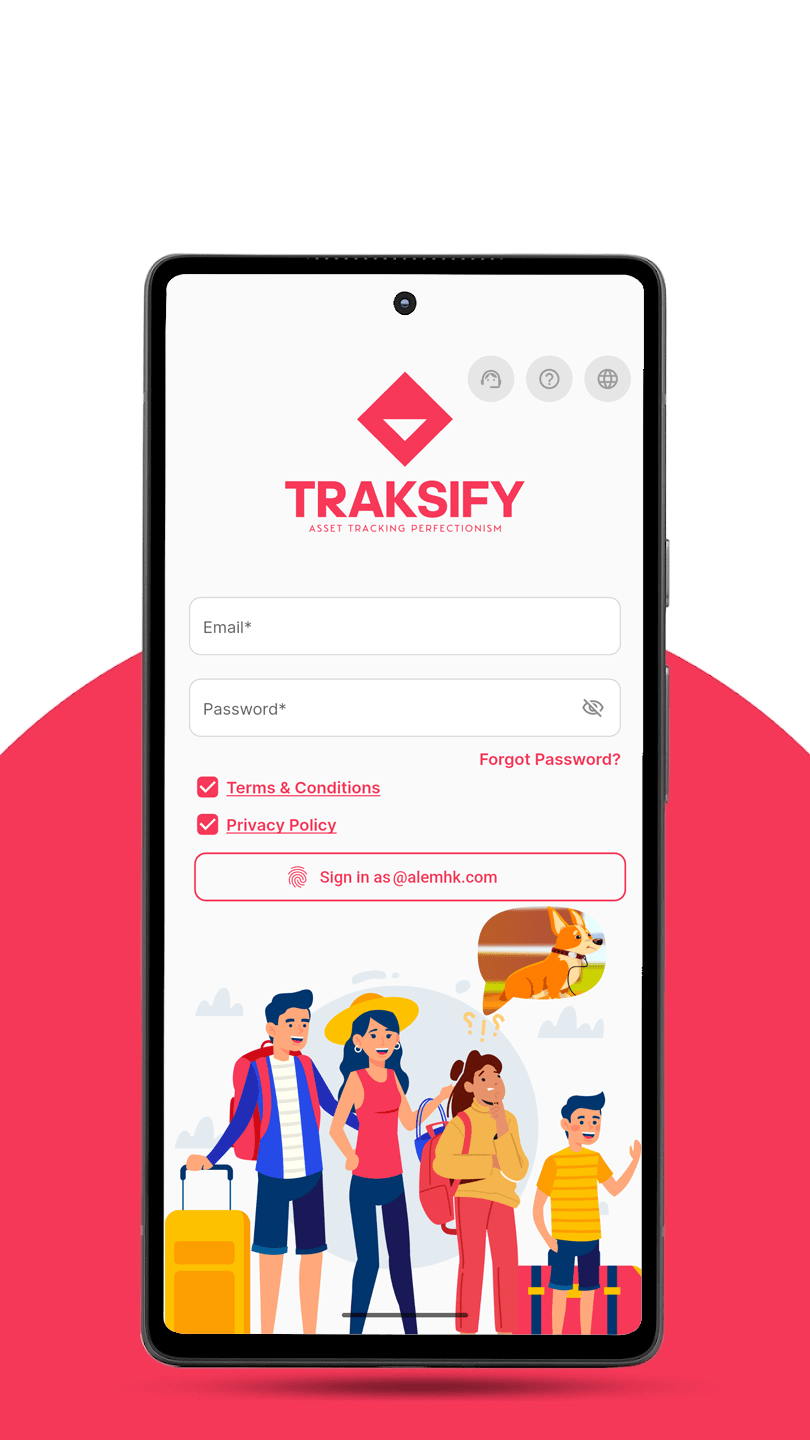
Beta testing · TRAKSIFY Protect
Version 6.1.0, two-way voice.
Calling a device already let you listen to it. In this build the device can hear you back. The outgoing audio was being sent in the wrong format and arrived as noise, so please concentrate on the voice tests below, then run the quick regression check.
New in 6.1.0
Talking to a device
Open a deviceCall
- 1
Before you start
- The tracker must be powered on and online, with the app signed in on the same account.
- The Call button only appears on devices enabled for voice. If you cannot see it on the device screen, that device is not enabled yet.
- Somewhere quiet helps: the tracker’s speaker and microphone sit close together, so in a small room you may hear an echo of your own voice.
- 2
Start a call
- Open a device and tap Call. The call screen opens and shows the device connecting.
- The first call asks for microphone permission. Allow it.
- The call screen shows the device name and picture.
- 3
Listening to the device
- You should hear the tracker’s surroundings. This worked before and should still work.
- Have someone speak near the tracker and check the voice is clear, not robotic or broken up.
- 4
Talking to the device — the fix in this build
- Speak into your phone. Your voice must come out of the tracker’s speaker.
- It should be recognisably your voice. Loud static, buzzing, or a chopped-up sound means the fix has not worked — please report it.
- Count slowly — “one, two, three, four” — so whoever is next to the tracker can confirm every number arrives.
- 5
Delay
- Some delay is normal on a mobile connection.
- What matters is whether it grows: say something at the start of the call and again after a minute, and check the second one is not noticeably slower to arrive.
- 6
Ending a call
- End the call from the app and check the screen closes cleanly.
- Start a second call straight away and check it connects as normal.
- Leave a call unanswered and check it stops ringing by itself rather than hanging there.
- 7
Settings
- The version shows 6.1.0 – Rev.: 206, Scheduled release: 01.12.26.
- 8
Regression
- Quick check: login (including Face ID), live map, notifications, geofences, and sharing by QR code or email.
Found something?
Report it with a screenshot.
Please include a screenshot and the name of the screen. For a voice problem, add the device name and the time of the call, and say which direction was wrong — what you heard, or what the device heard. Thank you!
Already included from earlier builds
- Short device QR codes: new tags open a short link instead of a long device address.
- Public profile privacy: switches for the profile image, name, email and mobile, with View and Share buttons.
- Floating navigation: Home, Live, Replay and Control in one bar, Settings in its own button.
- Biometric sign-in: larger Face ID or fingerprint card, masked saved email.
- Additional SOS recipient: one extra contact receives SOS alerts by WhatsApp.
- Notifications screen: redesigned rules with icons and channel tiles.
- AI Analyst: a written analysis for today, 7 or 30 days, in your app language.
- Support chat: live chat, with AI Assist outside office hours.
- Share a device by email: confirmed with a one-time code.
- Activity reports: daily, weekly or both, export as PDF or Excel.
- Private Community: shared map, invite links, SOS and fall relay, messages.
Beta disclaimer
Before you download
This is a beta build of TRAKSIFY Protect. It may contain bugs, incomplete features or changes that differ from the final release. Please install it only for testing, keep a backup of your data and report any issues you find. Features and settings may change before the public release.
Accept the disclaimer to enable the download.