
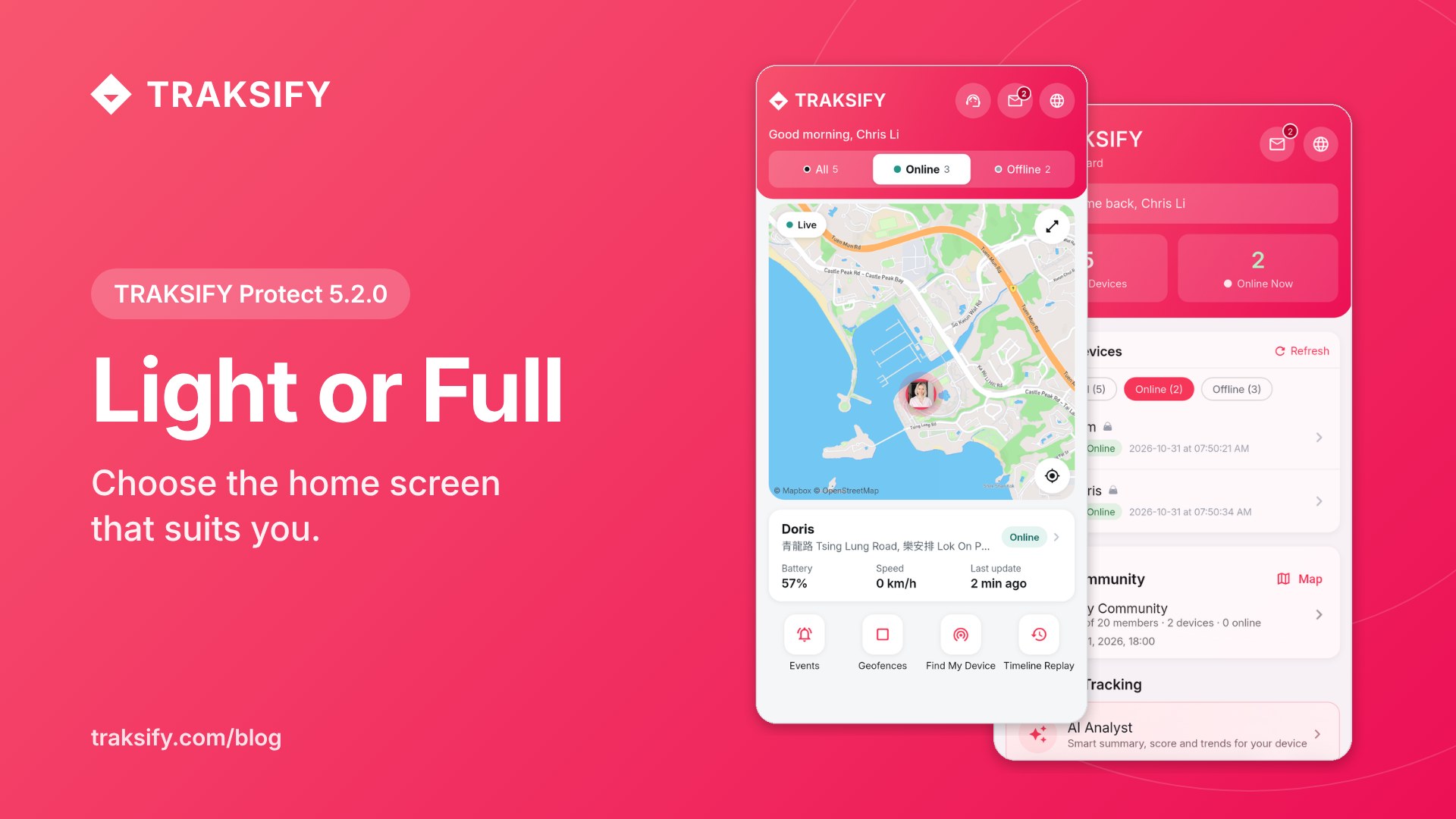
Light or Full: choose the TRAKSIFY home screen that suits you

TRAKSIFY Protect 5.2.0 gives you a choice of home screen. The new Light dashboard shows your devices, a live map and the essentials on one calm screen. The Full dashboard you know is still there, with every tool and statistic. You choose, and you can switch at any time.

Why a Light dashboard?

  • See what matters at a glance. Where your devices are, whether they are online and how much battery they have, without scrolling.
  • The map comes first. Tap a device in the row at the top and the map moves straight to it. An offline device shows its last known position.
  • Your own shortcuts. Pick up to four quick actions, such as Events, Geofences, Find My Device or Share.
  • Help is one tap away. Support chat, messages and language sit right in the header.
  • More room to see. The bottom menu slides away while you scroll and comes back when you scroll up.
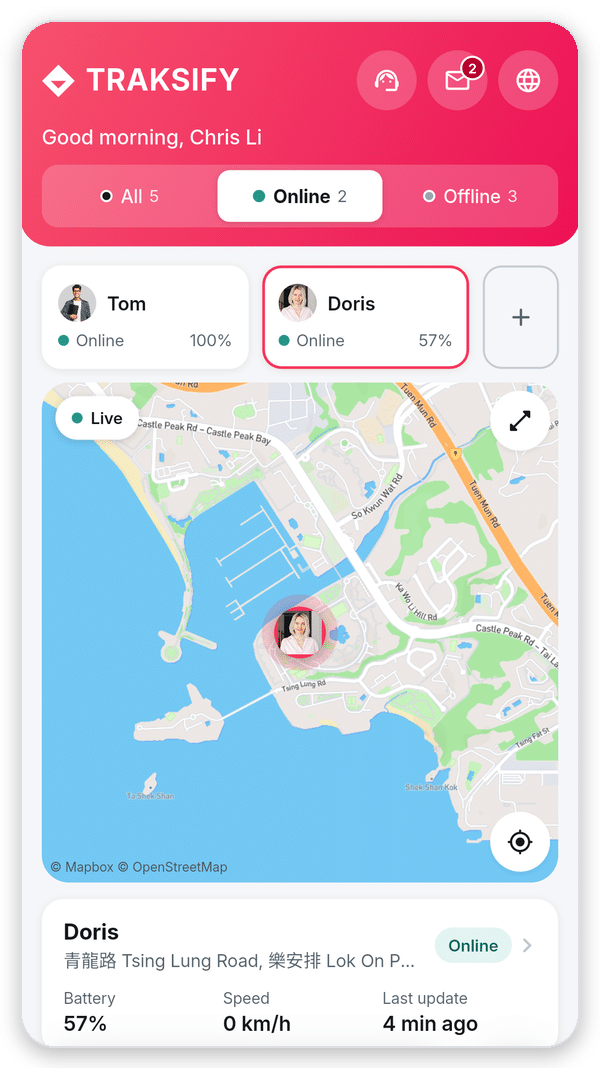
TRAKSIFY Protect Light dashboard with device row, live map, status card and quick actions
The new Light dashboard.

How to switch between Light and Full

Step 1: Open Settings

Tap the round Settings button at the bottom right of the app. If the menu is hidden, scroll up a little and it slides back in.
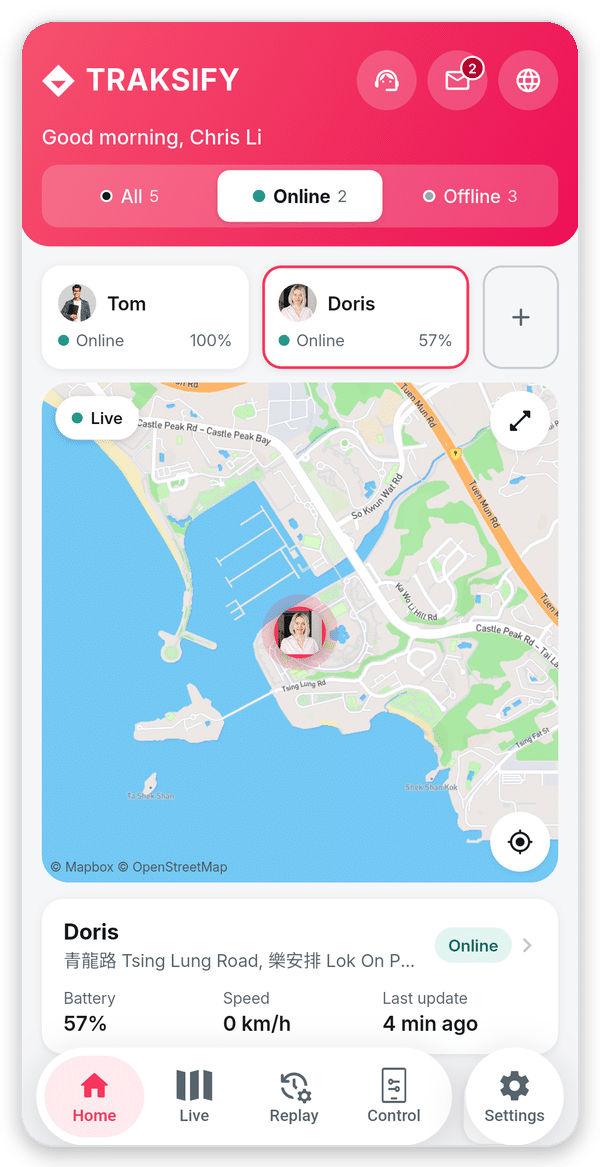
Bottom menu with the Settings button
Tap Settings.

Step 2: Open Phone and Dashboard Preferences

Under Account & App, tap Phone and Dashboard Preferences. The line below it shows which dashboard you are using now.
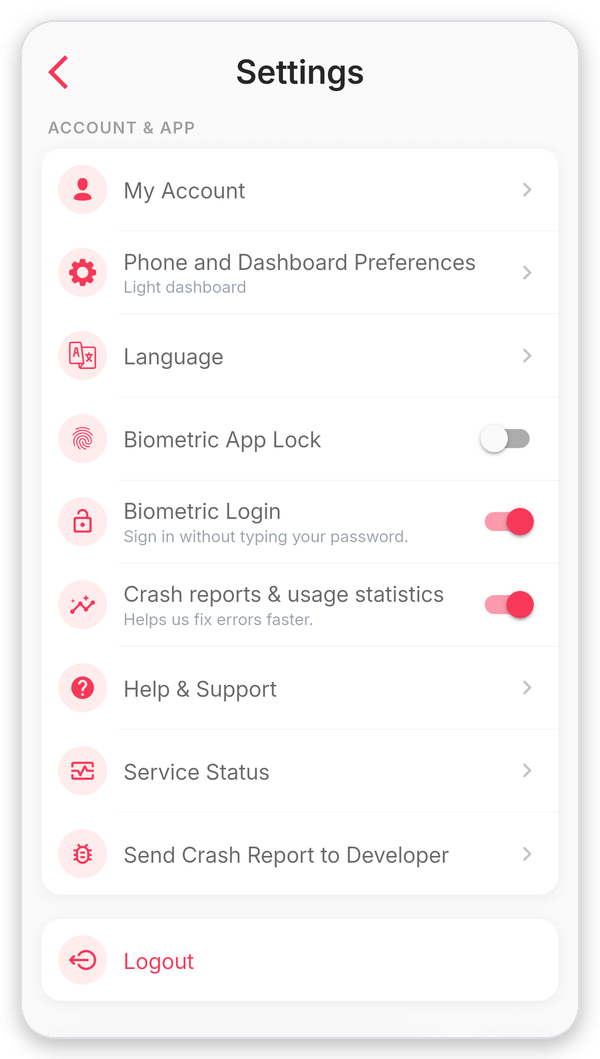
Settings screen with Phone and Dashboard Preferences under Account and App
Tap Phone and Dashboard Preferences.

Step 3: Choose Light or Full

At the top, under Dashboard, tap Light dashboard or Full dashboard. A green message confirms the change. Your choice is saved immediately, so there is no need to press Save.
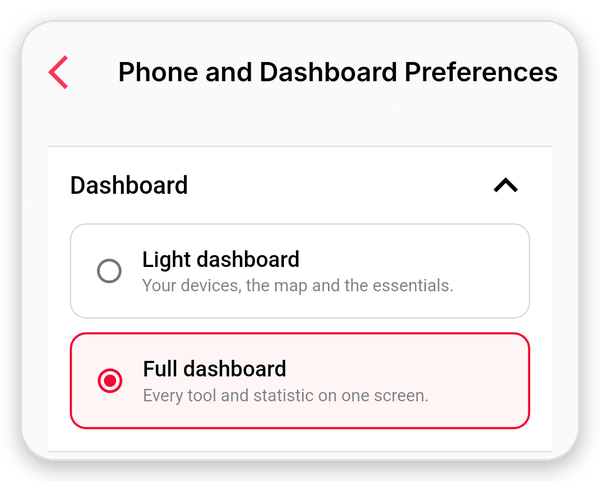
Dashboard section with the choice between Light dashboard and Full dashboard
Choose Light or Full.

Step 4: Pick your quick actions (Light only)

With Light selected, choose up to four quick actions. The numbers show the order in which they appear on your home screen. Below them, turn Show address on or off for the status card.
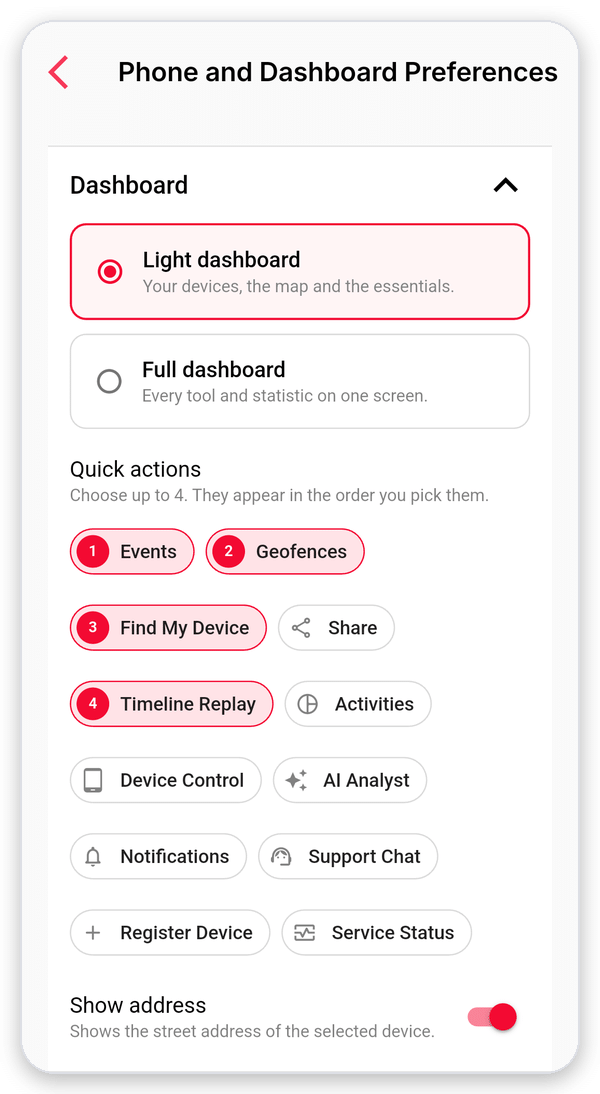
Quick actions with four numbered choices and the Show address switch
Up to four quick actions.

Step 5: Go back to Home

Tap Home in the bottom menu. Your new dashboard is ready. To change back, simply repeat steps 1 to 3.
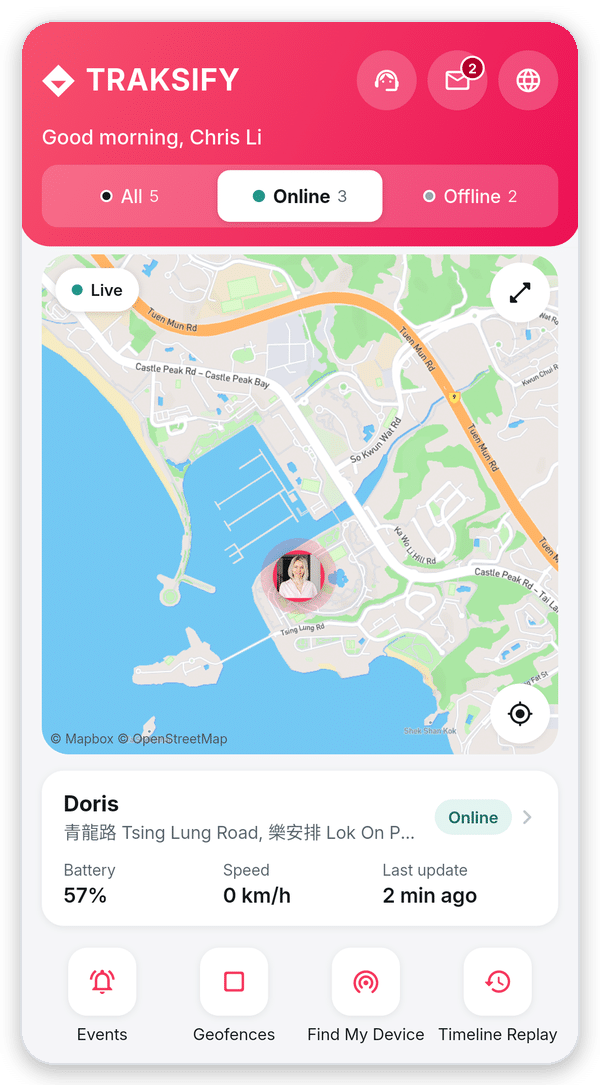
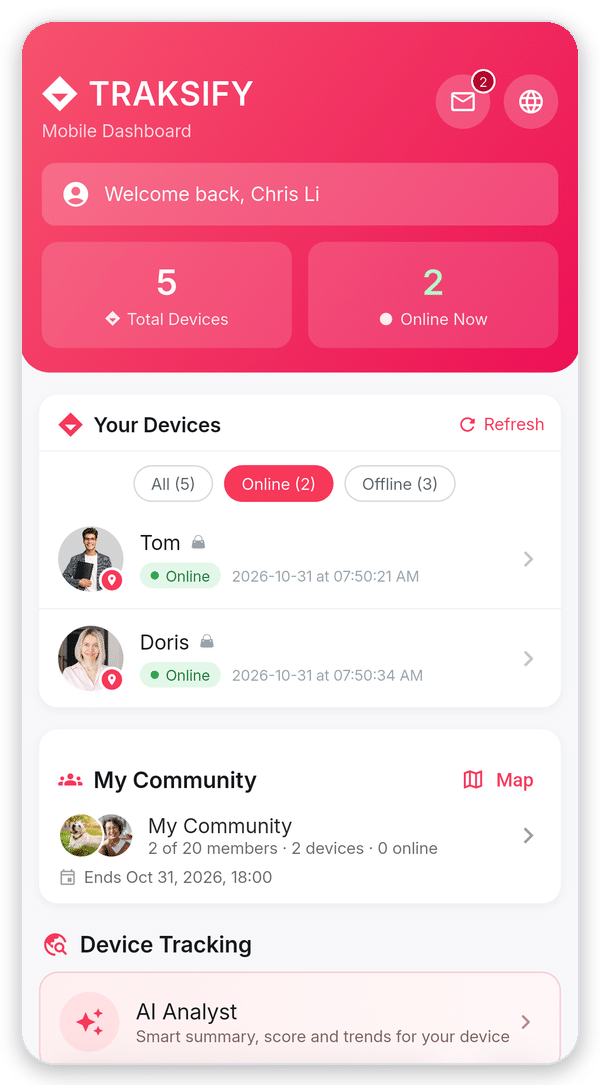
Light dashboard
Light dashboard
Full dashboard
Full dashboard

Good to know

  • If you already used TRAKSIFY Protect before 5.2.0, you keep the Full dashboard. New users start with Light.
  • Your choice is saved on your phone. If you use TRAKSIFY on more than one phone, choose on each of them.
  • Both dashboards show the same devices and update automatically every 30 seconds. Nothing changes for your alerts, geofences or reports.
  • Press and hold a device in the Light dashboard to open its profile. Tapping the status card does the same.

Update to TRAKSIFY Protect 5.2.0 from the App Store or Google Play. See everything that changed in the release history.
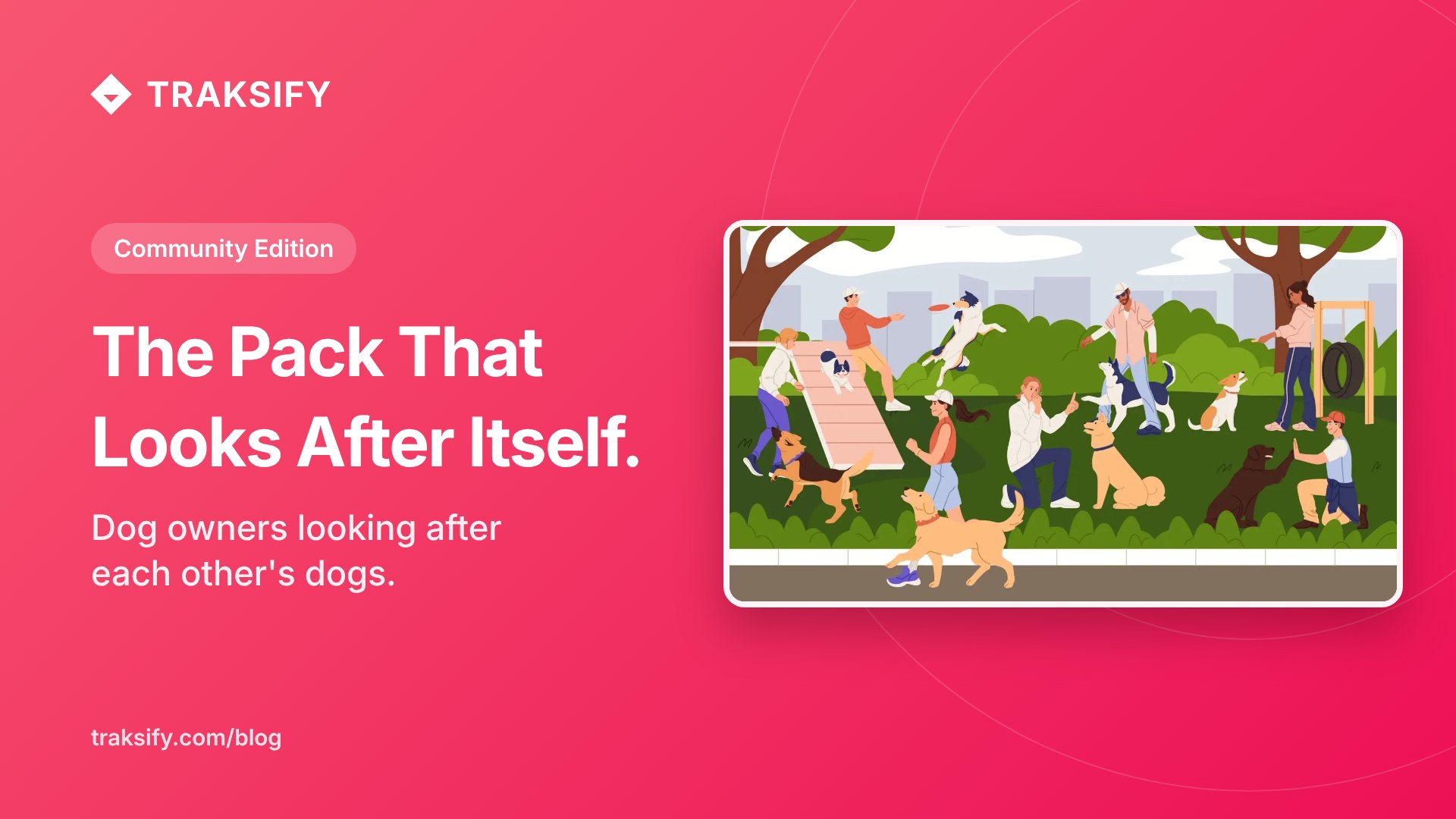
Dog Owners Looking After Each Other’s Dogs – TRAKSIFY Protect Community Edition

The Pack That Looks After Itself: How Dog Owners Are Taking Care of Each Other’s Dogs

Every dog owner knows the moment. You look up from a conversation at the park, and the space where your dog was a second ago is empty. A rustle in the bushes, a squirrel, a scent worth following, and your best friend is off on an adventure you were not invited to. The next few minutes feel like hours.

A group of dog owners in a hillside neighbourhood knows that moment too well. They meet most mornings on the same trail: a corgi named Bruce, a retired greyhound, two spaniels who behave as one, and a young shepherd still learning where the path ends. Their owners had chatted for years but never really organised themselves. If one of them was away, their dog stayed home, and if a dog wandered off, everyone just started shouting its name in different directions.

That changed when one of them created a Private Community in TRAKSIFY Protect and simply invited the others by email. Within a day, five dogs were on one shared map. Each owner chose which of their trackers to share, and from then on every walk had a quiet safety net underneath it. Nobody had to ask “where is Bruce?” – a glance at the phone answered it.

The first real test came on a foggy Saturday. The shepherd, still a puppy at heart, slipped away after a rabbit. Before his owner had even noticed, her phone buzzed with a separation alert: her dog was now more than three hundred metres from every other dog in the group. She opened the map, saw exactly where he was heading, and the owner of the greyhound – who happened to be on that side of the hill – simply walked over and picked him up. Ten minutes, no shouting, no panic.

Soon the group discovered the community was good for more than emergencies. When one owner had to travel for a week, she did not need to find a kennel. Her spaniels stayed with a neighbour from the group, and because they were still on the shared map, she could see them on their morning walk from three time zones away. A short message to the group – “Back Friday, thank you all” – reached every phone as a push notification. The dogs, of course, were unbothered by the arrangement.

What makes this work is not the technology alone. It is that the group set its own rules – written into the community itself, visible to every member – and that everyone can see the same thing at the same time. Whoever is closest helps. Whoever has an hour to spare walks two dogs instead of one. The tracker on the collar turns a loose circle of acquaintances into a pack that looks after itself.

And when the owners decided to pause their morning walks over the summer, the organiser simply set an end date. The community reminded everyone the day before, closed itself on time, and location sharing stopped. When autumn came, a new one was created in under a minute.

The TRAKSIFY Protect Community Edition is one of its kind: protection for groups, organised in secure, private and easy-to-manage communities. Only people you invite can join. Each member decides which devices to share and can pause at any moment. Proximity, separation, SOS and fall alerts reach the whole group, and every community ends when the activity does. Whether it is dog owners on a trail, a family on holiday, a class on an excursion or friends on a hike, the group protects itself – together.

Ready to bring your own pack together? Read the full guide to the TRAKSIFY Protect Community Edition and create your first Private Community from the app today.